

NLoadframe 1.0 · NexaIT's work planning system
Departmental work and team load, instead of a spreadsheet only one person understands.
Loadframe plans the recurring work of departments: warehouse, finance, HR, customer service. Tasks with a standard time, routines based on working days and a planner that shows planned hours against each person's available time.
20
field types a department adds itself, without a developer
7
ready-made space templates, from warehouse to IT helpdesk
4 vCPU, 8 GB
a server that, according to the administrator guide, is enough for 500 people
PL and EN
interface, user guide and administrator guide
Product status
Version 1.0, now accepting the first pilot implementations
Loadframe is ready to use, but it does not yet have customer implementations we could refer to. That is why we start with a pilot in one department, with an agreed measure and acceptance, and only then extend the system to further teams.
Project tools are for projects. A department works in cycles.
A warehouse inbound team, accounts closing the month or HR preparing payroll do not run projects. They repeat the same activities every day, week and month, and the manager needs to know whether the team will finish on time. That is why such departments go back to spreadsheets: project tools know nothing about standard times, routines or people's real availability.
Loadframe is a NexaIT system built for this kind of work. Each department gets a space with its own statuses, fields and task types, and a task type has a standard time that depends on quantity, for example the number of pallets. Routines create tasks on their own, following working-day rules with Polish public holidays.
The planner sets planned minutes against each person's available time, calculated from their schedule, FTE, absences and holidays. A manager sees overload before a deadline passes, and the board compares departments in a single table. One installation covers the organisation, locations, spaces and teams.
See the screens before you book a demo.
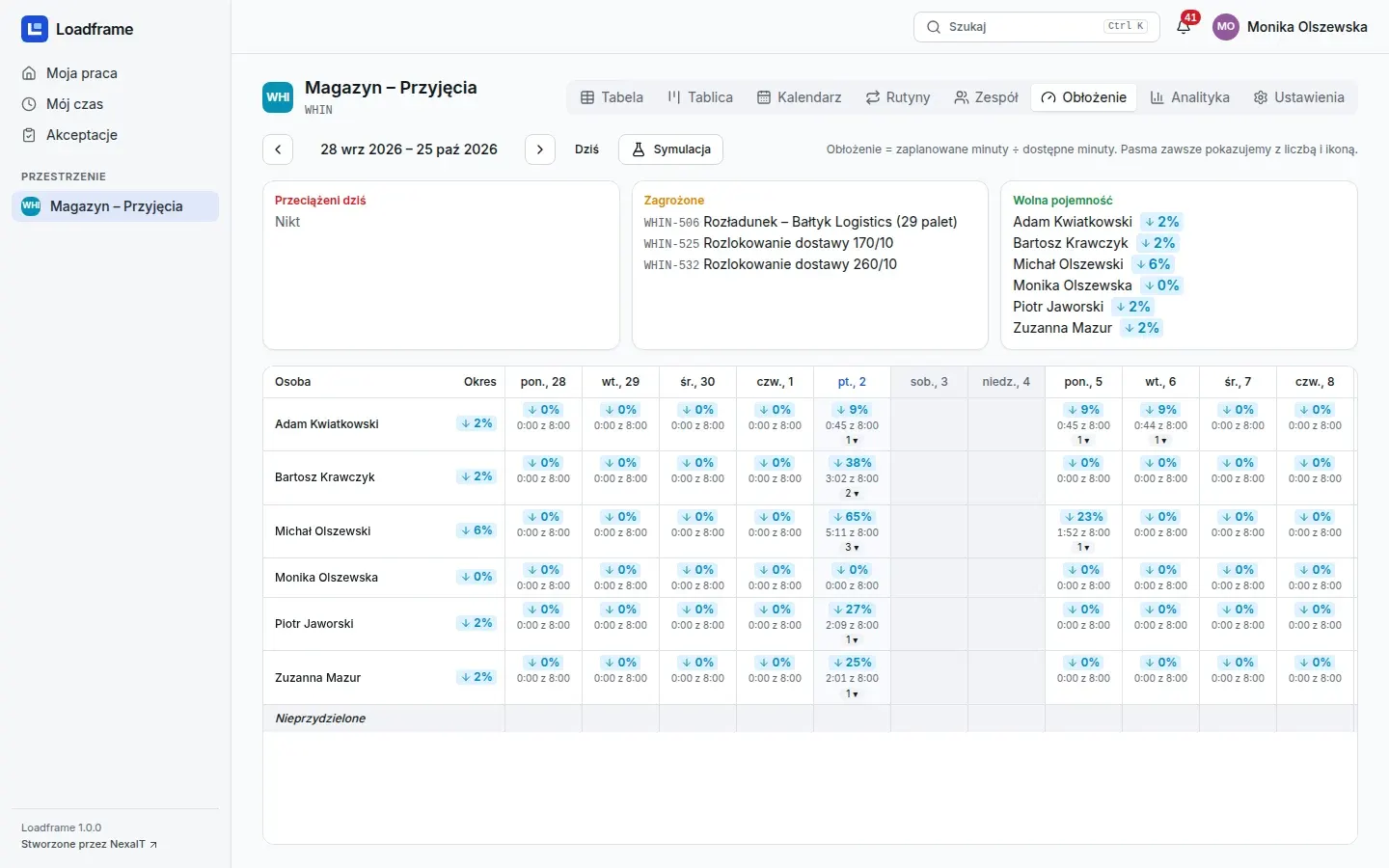
Hours against available time
People and days, planned minutes against time from schedules and absences. Tasks are dragged between people, and what-if mode shows the effect before saving.
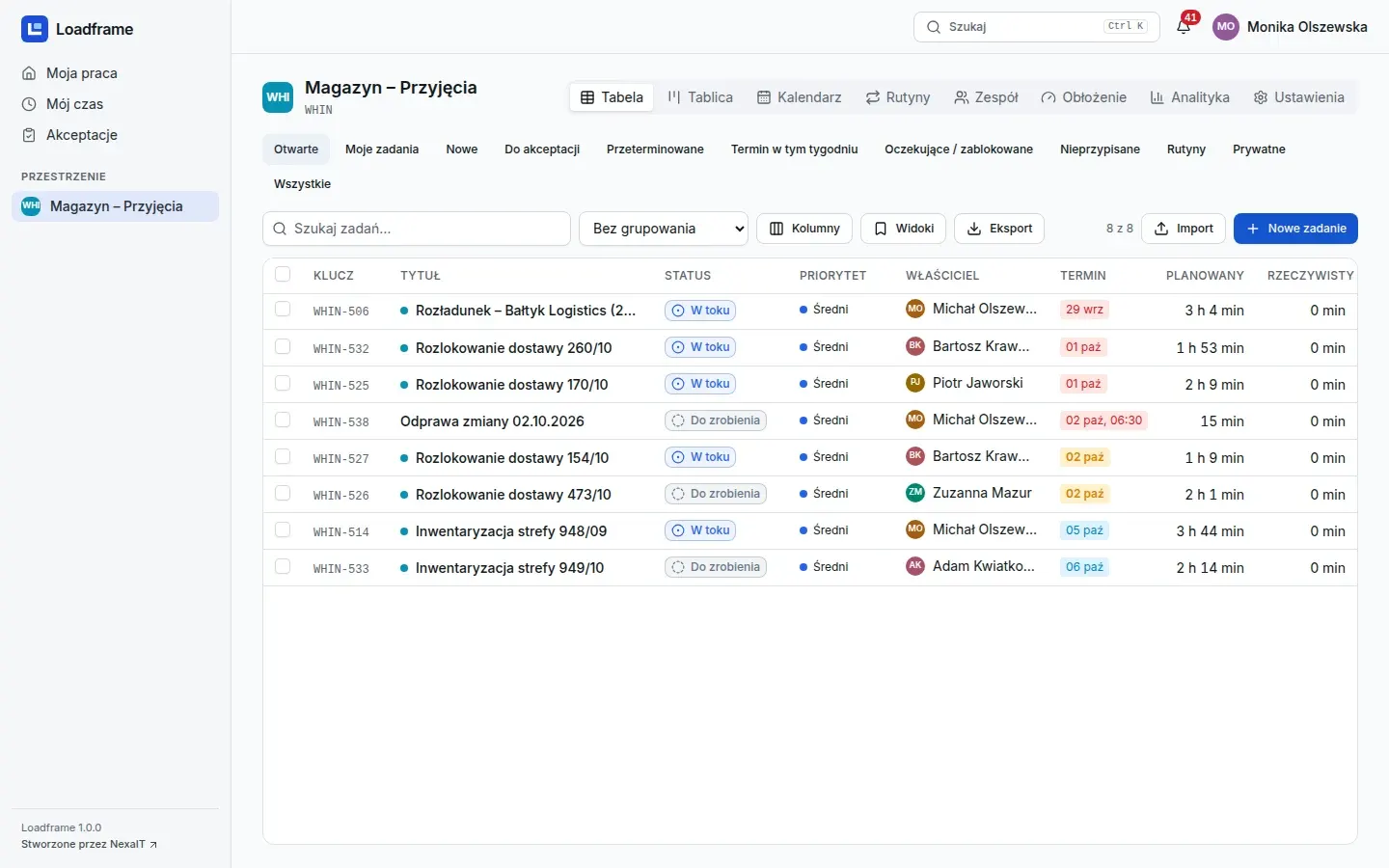
Tasks like a spreadsheet
Quick views, filters, grouping with totals, inline editing, saved views, export and pasting from Excel through an import with preview.
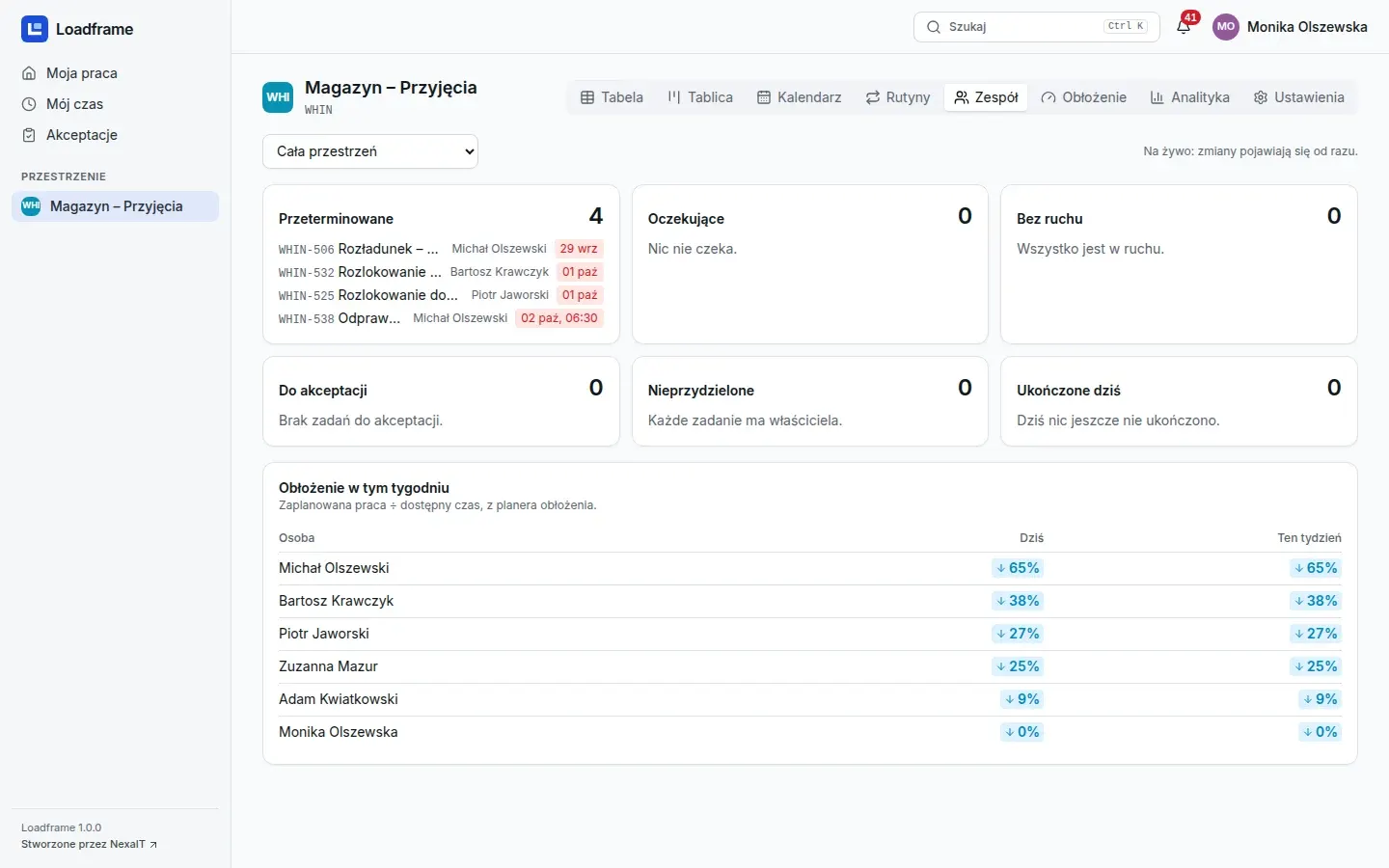
The team's day on one screen
Overdue, waiting, stale, awaiting approval and unassigned, and below that each person's load today and this week.
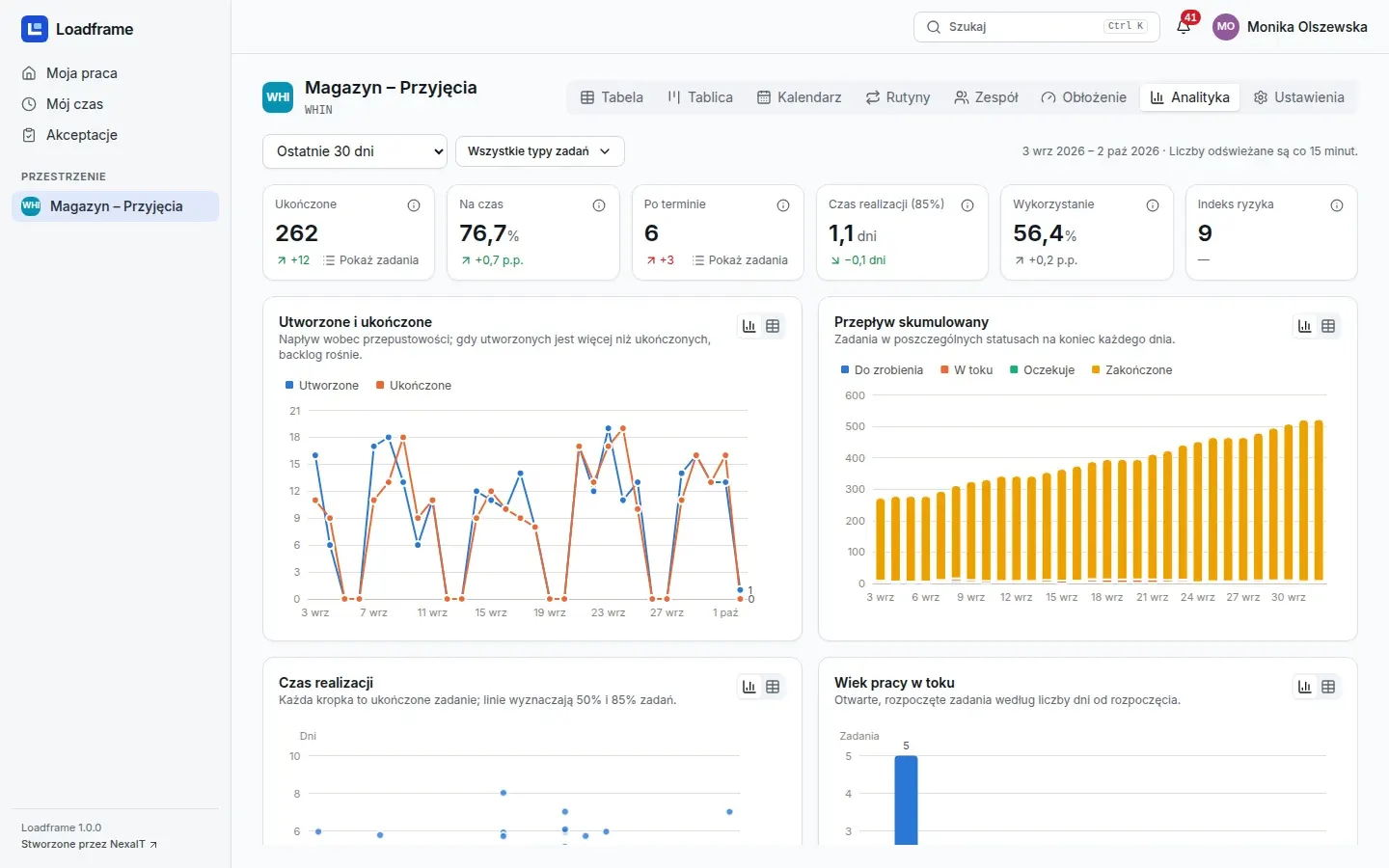
Numbers that add up
Completed against created, cumulative flow, cycle time, on-time share, utilisation and risk index. Every number opens the tasks behind it.
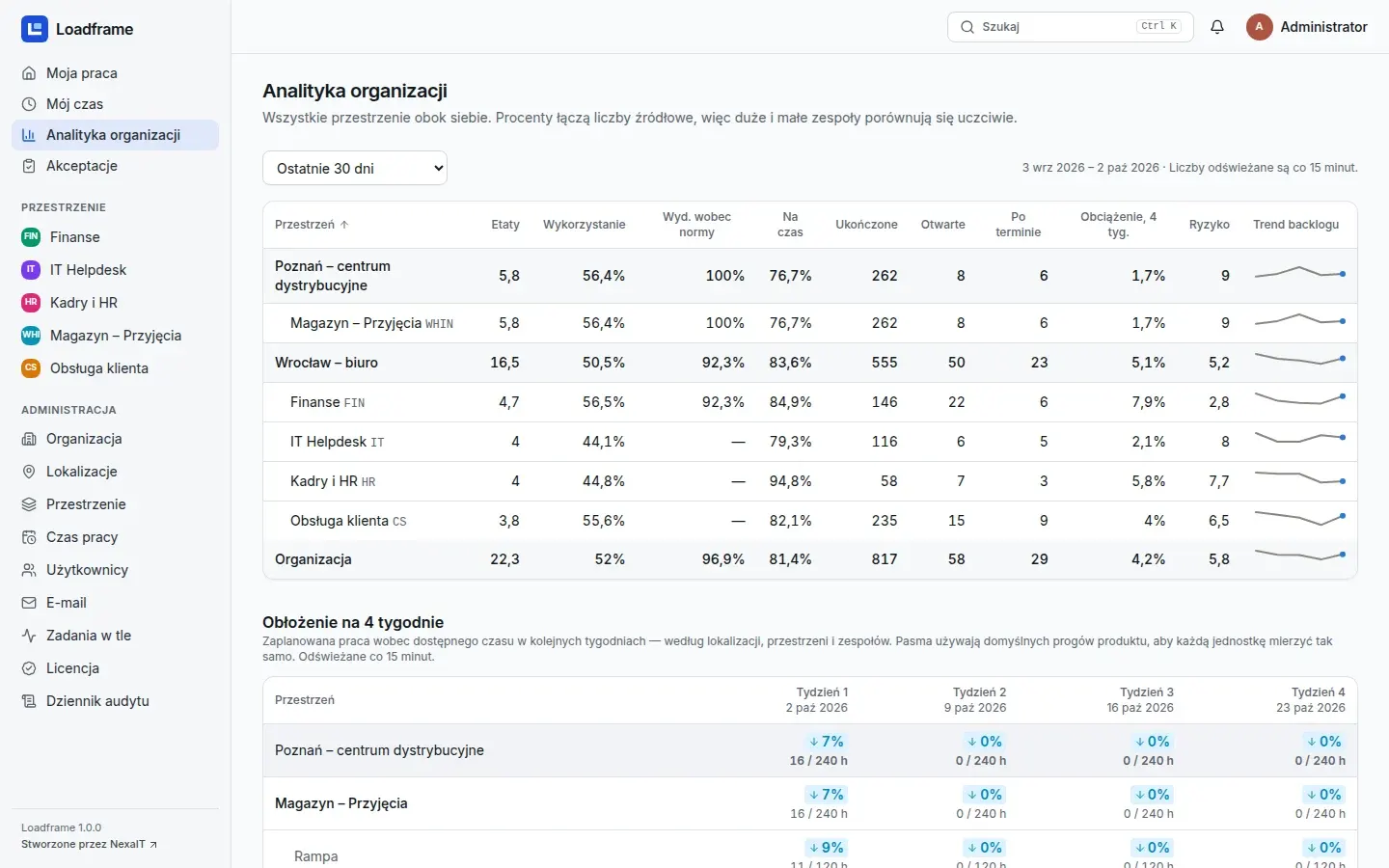
Departments side by side
Spaces and locations in one table: FTE, utilisation, performance to standard, on-time share and load for the next four weeks.
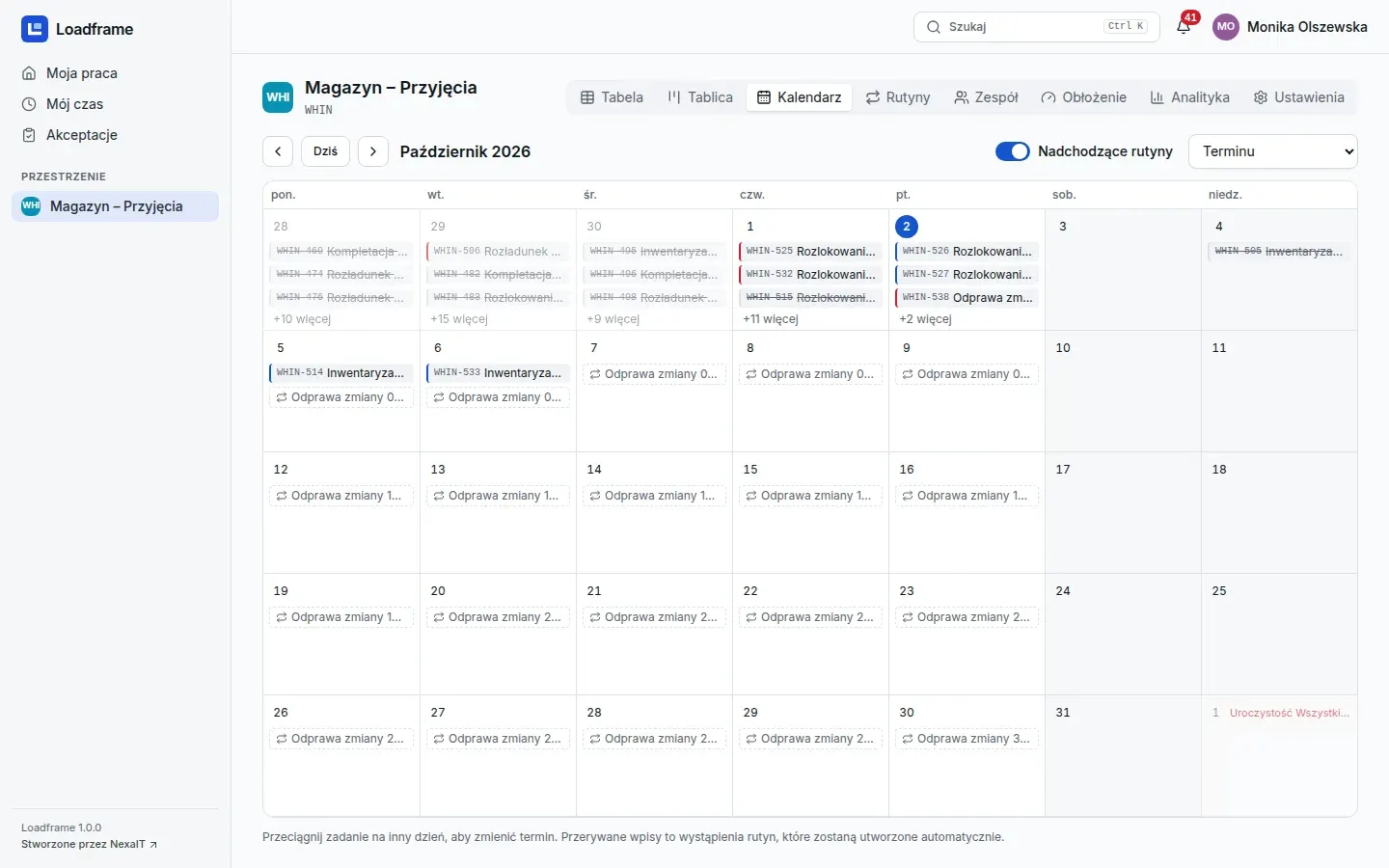
Due dates and routines in a month
Tasks and upcoming routines in a month view. A due date changes by dragging, and recurring work is visible in advance.
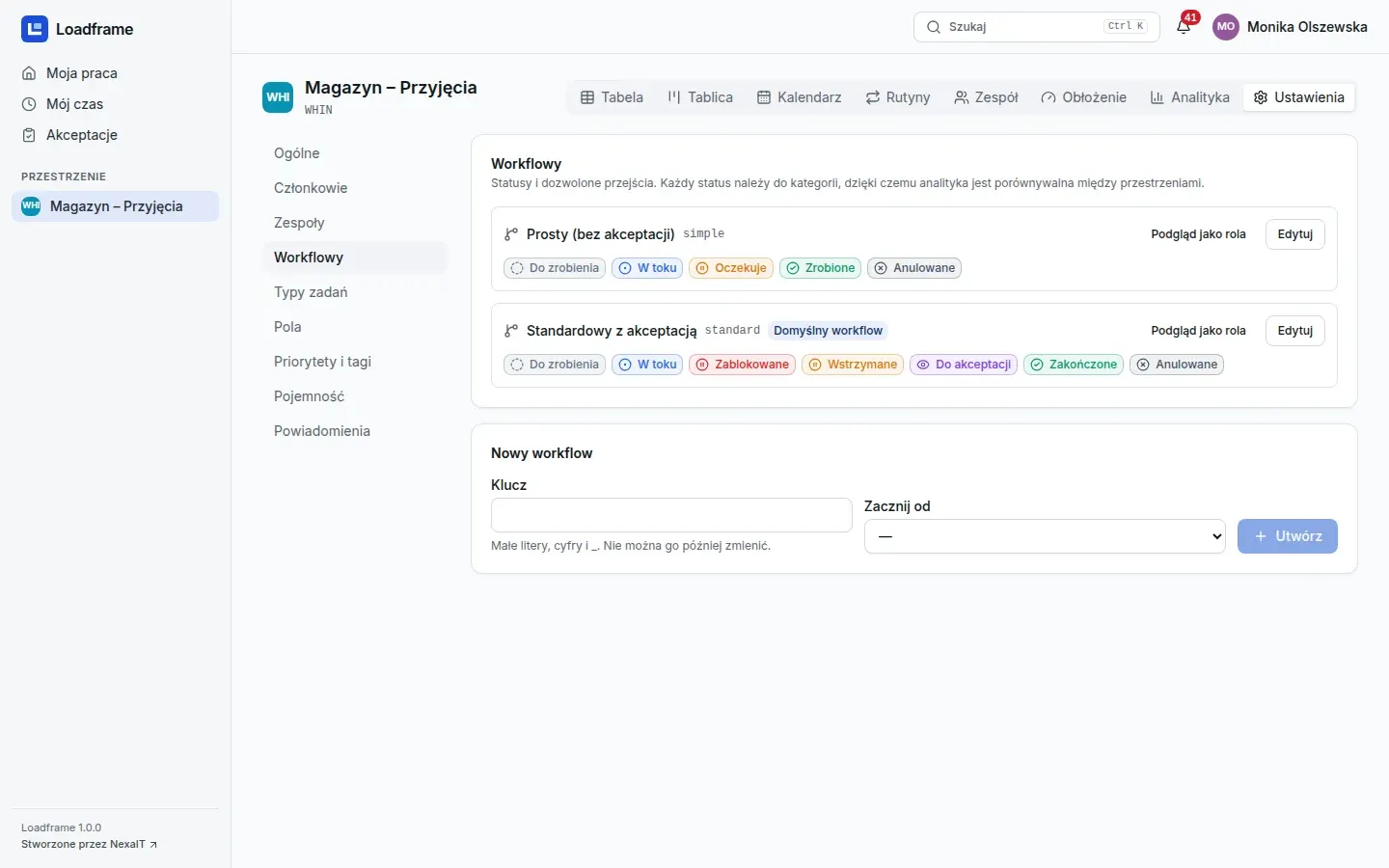
The department sets up its own process
Statuses mapped to fixed categories, transitions with conditions such as a required comment, a checklist or an approval. Preview from the perspective of any role.
Screenshots from a Loadframe 1.0 demo installation. The company, people and data are fictitious.
What is in version 1.0, with no promises for later.
Tasks
- owners, co-owners and watchers
- subtasks, checklists with evidence, dependencies
- comments with mentions, attachments, read receipts
- table, board with swimlanes, calendar, Ctrl+K palette
- bulk changes, archive and trash
Time and standards
- a server-side timer that reminds you and stops itself
- manual entries, lead corrections and period locks
- tracked, standard or hybrid time mode
- standard times by task type and quantity
- actual time compared with the standard
Capacity and routines
- holiday calendars, rotating shifts, FTE, absences and fixed blocks
- planner with drag and drop, what-if mode and a manager cockpit
- routines based on working-day rules, e.g. the 3rd working day of the month
- rotation or least-loaded assignment
- skipping with a reason and pausing
Approvals and notifications
- approvals with a comment, singly and in bulk
- hand-over with a reason and delegation down the line
- in-app and e-mail notifications, with quiet hours and digests
- scheduled reports: daily brief and weekly summary
- webhooks to Slack, Microsoft Teams and Google Chat
Administration
- setup wizard and invitations by link
- import of people and absences from a spreadsheet
- erasure of deactivated accounts' data on request (GDPR)
- mail server and company branding set in the interface
- audit log with archive to file and a background job monitor
Analytics and export
- team, space, people and organisation indicators
- privacy mode for personal indicators
- export of views to CSV and XLSX
- export of a space configuration as a template
- every number on a dashboard opens the tasks behind it
Who Loadframe is for, and who it is not for.
A good fit if
- Back-office departments that repeat the same activities every day, week and month: warehouse, finance, HR, customer service.
- A manager wants to see the team's load in hours, not just a list of tasks per person.
- The company has several locations or departments and wants to compare them using the same indicators.
- Data about the teams' work has to stay on the company's server.
We don't recommend it if
- You are looking for working time records within the meaning of the Polish Labour Code or a payroll system. Loadframe is not one.
- You need a warehouse management system, ERP or MES. Loadframe plans people's work, not the movement of goods.
- You run projects with a schedule and dependencies, or software development.
- Shop-floor workers need a kiosk or a mobile app. Version 1.0 does not have them.
Specification, no small print.
Installation
- a Linux server with Docker Engine and Docker Compose
- according to the guide: 4 vCPU and 8 GB RAM for 500 people and 100,000 tasks
- HTTPS through Caddy: an internal certificate or Let’s Encrypt
- backup, restore and upgrade scripts with checksums
- one organisation per installation, with no connection to NexaIT's servers
Security
- passwords stored as Argon2id, lockout after failed attempts
- server-side sessions, CSRF protection, re-authentication for sensitive operations
- global roles and space roles, no access by default
- append-only audit log
- self-review against OWASP ASVS 5.0 Level 2
Data and integrations
- PostgreSQL 18 as the only database
- PL and EN interface, Europe/Warsaw time zone
- e-mail through your SMTP server
- Slack, Microsoft Teams and Google Chat webhooks
- spreadsheet import with a preview of every row
What is not there yet.
We say this before implementation so there are no disappointments. Version 1.0 does not have these features:
- two-factor authentication and SSO, LDAP or Microsoft Entra ID sign-in
- a public API with tokens and outgoing webhooks
- PDF reports
- a mobile app and a kiosk for shop-floor workers
- multiple organisations in one installation
Questions about Loadframe.
How is Loadframe different from a project management tool?
A project tool runs projects with a schedule and dependencies. Loadframe plans the recurring work of departments: standard times, routines based on working days and people's load against their available time.
Will Loadframe replace statutory working time records?
No. Loadframe records time spent on tasks for operational purposes, but it is not a working time register within the meaning of the Polish Labour Code, nor a payroll system.
Will a manager see the results of every employee?
That depends on the privacy mode the company sets: personal indicators can be visible to managers, shown only in aggregate, or open. It is worth deciding before implementation, with employees in mind as well.
Can we move our tasks from Excel?
Yes. Tasks, people and absences are imported from a spreadsheet, with a preview of every row before saving. Tasks can also be pasted straight from the clipboard.
Where does Loadframe run?
On your company's server or on a cloud server bought in your company's name, in Docker containers. The installation does not connect to NexaIT's servers.
How much does Loadframe cost?
We price the licence, implementation and ongoing care individually, after a conversation about the number of departments and the scope of the pilot.
Online demo · no obligation
See Loadframe live, on demo data.
- Online demoWe show Loadframe on demo data and talk about how your department works.
- Choosing a department for the pilotOne department, its routines, standard times and a measure by which you will judge the result.
- Installation and configurationOn your server, with a backup and a restore test. We configure the space together with the manager.
- Acceptance and decisionAfter the pilot we check the measure, and you decide whether to extend the system to further teams.