

CCTV monitoring for the company: how to plan a camera system
Effective monitoring requires defining the goal, proper framing, recording retention and access rules. We show you how to plan a CCTV system and what legal issues need to be assessed before installation.
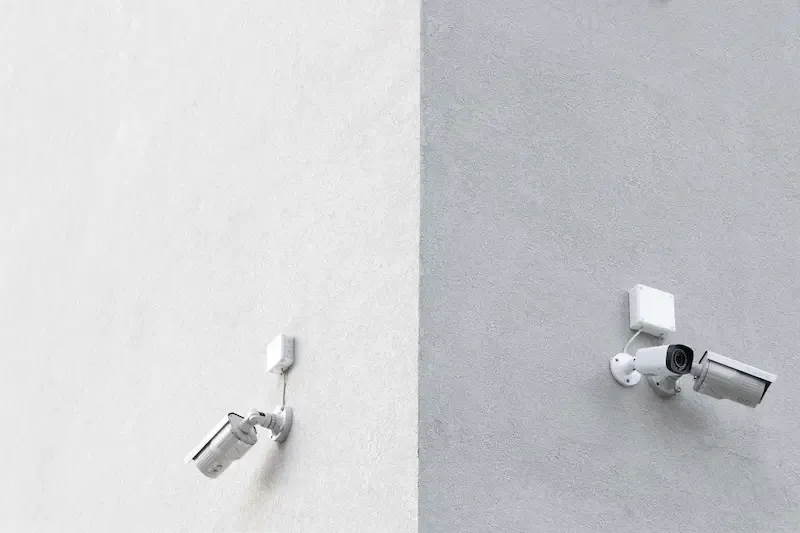
Video monitoring is not a mandatory equipment for every company. It should have a specific, justified purpose, and the scope of observation must be proportional to it. Only after this analysis can places, staff, image quality, storage time and system security be selected.
This article describes the technical and organisational layers. It does not constitute legal advice; Before monitoring employees or publicly accessible spaces, it is worth confirming your obligations with a lawyer or data protection inspector.
1. Define the goal
The “just in case” goal is too general. For each observed zone, you need to specify what event the system should help detect or explain. Confirming the presence of a person requires a different frame, facial recognition at the entrance, and still another to read the licence plate.
Example targets include:
- protection of property in a specific zone;
- access control to technical room;
- investigating events at the gate or release counter;
- process observation for people's safety;
- registration of vehicle movement at a designated point.
If the purpose cannot be clearly described, it is impossible to reliably assess whether a camera is needed.
2. Assess compliance and privacy
An identifiable recording is personal data. The administrator should, among other things, determine the basis, purpose, scope, storage period, recipients and method of exercising people's rights.
Employee monitoring is also subject to the provisions of the Labour Code. The regulations limit the surveillance of sanitary rooms, locker rooms, canteens, smoking rooms and trade union rooms, providing special conditions for exceptions. The employer also has information and area marking obligations.
The design should avoid unnecessary encroachment on adjacent properties, windows, workstations and off-target spaces. Privacy masks can help limit the frame, but you need to check that they also work when you change the camera position.
3. Assign a task to each camera
The plan should indicate for each camera:
- ID and location;
- observed zone;
- expected level of detail;
- typical and difficult lighting conditions;
- permanent and variable obstacles;
- required operating time in the event of a power failure;
- day and night image reception criterion.
Wide angle is not always beneficial. The same image then covers a larger scene, so there is less detail for each object. A camera covering an entrance may show a silhouette, but not provide any footage that would identify a person.
4. Match the device to the scene
The shape of the housing does not determine the quality. More important are the lens, sensor size, low light performance, dynamic range, housing resistance, mounting method and compatibility with the recorder.
Resolution is just one of the parameters. More pixels won't fix blur, an overexposed face, a dirty hood, or a bad frame. The ability to achieve the goal must be confirmed on an actual recording.
The PTZ camera does not observe all directions at the same time. If it is directed elsewhere at the time of the incident, there may be no material. Therefore, PTZ automation should not replace a fixed frame in the critical zone without conscious acceptance of this limitation.
5. Plan enrollment and retention
Capacity depends on the number of cameras, actual data stream, frame rate, codec, scene dynamics, recording schedule and storage time. Calculations based solely on resolution may be significantly inaccurate.
The approximate formula for constant flux is:
capacity = sum of camera bitrates × recording time
The result must be supplemented with a margin and the method of calculating disk capacity and possible redundancy should be taken into account. Once launched, measure actual consumption and confirm the oldest recording date available.
The retention time results from the purpose and regulations, and not from the universal value of 14 or 30 days. For employee monitoring, the Labour Code generally provides for storing recordings for a period not exceeding three months, with a separate rule for recordings constituting evidence. The principle of minimisation may require a much shorter period.
6. Network and power supply
IP cameras can use PoE, i.e. data and power transmission via an Ethernet cable. You need to check the standard required by each camera, the power available on the port and the total budget of the switch. The nominal value of the power supply is not always fully available for devices.
The monitoring network should be appropriately separated and access rules limited to necessary systems and people. Default passwords should be changed, administrative accounts should be named, and remote access should not involve uncontrolled port redirection from the Internet.
The UPS can support the recorder, switches and cameras, but the operating time must be calculated for the actual load and checked with a test. There is no point in maintaining the recorder itself if the cameras or network devices turn off immediately.
7. Permissions and export of recordings
Access to live view does not necessarily mean the right to play, export and change configurations. Roles should be distributed according to employees' responsibilities. It is worth recording logins and exports, if the system provides such an option.
The export procedure should specify who approves the operation, what format the file is created in, how the media is secured, and to whom the copy is given. You also need to periodically check whether the material can be played outside the recorder.
8. System acceptance
Reception should not be limited to checking that all cameras are displaying images. Tests should include:
- day and night scenarios;
- expected detail in each zone;
- save, search and export recordings;
- response to loss of connection or power;
- permissions of individual roles;
- disk, camera and write job failure alerts;
- actual retention after the follow-up period.
As-built documentation should include, at a minimum, the layout plan, camera IDs, connection topology, basic settings, access policies, retention, and test results. Passwords should not be placed in an unsecured document.
9. Maintenance
The system requires periodic cleaning of covers, frame checks, disk health checks, updates and export tests. The staff may change after construction works, shelves are moved or vegetation grows.
Updates should be scheduled with a copy of the configuration and the ability to roll back. The "disk OK" message itself does not confirm that the system saves all required streams and is able to play the material.
Frequently asked questions
How many cameras does your company need?
As much as results from the tasks and staff described in the project. The area of the facility is not sufficient to determine the number of cameras.
Is a higher resolution camera always better?
No. Usability is also influenced by the lens, lighting, frame rate, compression, mounting location and movement of the observed object.
Can I watch the image from my phone?
Many systems provide a mobile application. Before turning it on, you need to assess how the connection is established, account security, data flow and the possibility of revoking access to a lost device.
Summary
Good monitoring starts with the goal and acceptance criteria, not with the camera catalogue. The project must combine legal requirements, appropriate staffing, recording, network, power supply, authorizations and subsequent maintenance.
NexaIT designs and implements monitoring systems after analysing the facility and requirements. Contact usif you need a site visit and a quote for the technical scope.