

Own file server or Microsoft 365 or Google Workspace: how to calculate the cost
Your own file server has no per-account subscription, but it has costs you won't see in a price list: the server, backups, updates and administrator time. We show how to compare the two options using your company's numbers rather than slogans.
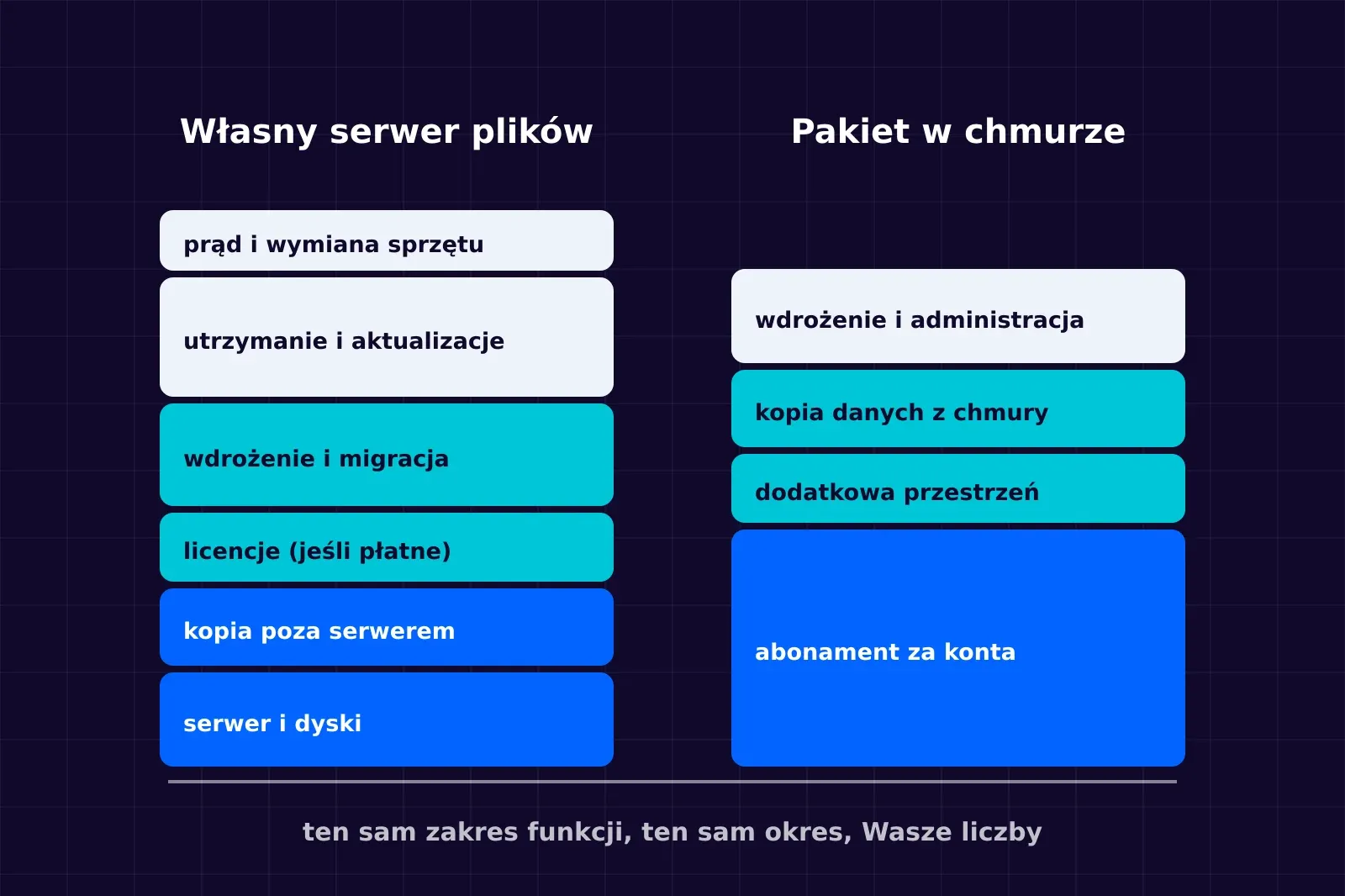
"Your own server will be cheaper, because we will not pay for every account" is one of the most common assumptions in conversations about company files. Sometimes it is true. Often it is not, because the comparison takes only the subscription into account and leaves out the other costs.
We do not give prices here. Office suite price lists depend on the plan, contract term, currency and tax, and they change over time. We show what to calculate and where to get the data, so the comparison is fair for your business.
What you are actually comparing
A cloud office suite is usually more than files: e-mail, calendar, chat, video meetings, document editors. Your own file server covers only part of this scope.
The comparison makes sense when both sides cover the same thing. If the company is staying with the cloud suite for e-mail anyway, the question is whether to add your own file server to it, not whether to give up the suite. That is a completely different calculation.
Cost components of your own file server
| Ingredient | What remote support | Where to get the number |
|---|---|---|
| Server | Hardware in the office or a cloud server, disks with room for growth and file versions | A hardware quote or the cloud provider's price list for the chosen specification |
| Off-server backup | Space for a backup in another location, with a retention period | The backup storage provider's price list, converted to your retention |
| Licences | The paid edition of the application, if you need, for example, domain sign-in or a document editor | The vendor's price list for your number of users |
| Deployment | Installation, migration of files and permissions, training | One-off quote |
| Maintenance | Updates, monitoring, backup checks, user support | An ongoing care subscription or the real time of your own administrator |
| Power and space | For a server in the office: power, cooling, UPS | A measurement or the manufacturer's data, converted to the company's tariff |
| Hardware replacement | Setting money aside for a new server after a few years | The server's price divided by the planned period of use |
On top of this comes a cost you will not see on an invoice: downtime. If the file server stops, how long does the team go without working and what does that cost? Restore time has to be measured with a test, not assumed.
Cost components of a cloud suite
| Ingredient | What remote support | Where to get the number |
|---|---|---|
| Subscription | Fee per account, monthly or yearly, for the chosen plan | The vendor's current price list or a licence reseller's offer |
| Additional storage | If the plan has a storage limit and the data exceeds it | The price list for additional storage |
| Backup of cloud data | The vendor is responsible for the availability of the service, but deleted files and restoring them are a separate matter | The price list of a cloud data backup tool |
| Deployment and administration | Configuration, migration, permissions, account management | Quote for deployment and ongoing care |
In its description of the shared responsibility model, Microsoft points out that regardless of the type of service, the customer is always responsible for its data, devices, accounts and access management. In Google Drive a deleted file goes to the bin for 30 days and is then permanently deleted. That is why backing up cloud data is a separate item in the cost estimate.
A cloud suite also has switching costs: training, the team's habits and compatibility with the files you work on. When switching the other way, the same applies to your own server.
How to calculate the comparison
- Set the period. Most often three years, because in that time a server purchase usually either pays for itself or does not.
- Count the number of users at the end of the period, not today. The subscription grows with every account, while the server's cost grows in steps.
- Add up the one-off and recurring costs in both options for the same scope of features.
- Add the cost of riskthat you can justify: downtime after a failure, data loss without a tested backup.
- Write down the benefits that cannot be converted into money: a client contract requirement, control over where data is stored, independence from a provider.
If the difference is small once everything is added up, your requirements should decide. If your data can be held by an external provider and nobody in the company wants to be responsible for a server, a cloud suite is usually the more sensible choice.
When your own file server makes sense
- A client contract or industry regulations require data to be on the company's server.
- The company works with large files that sync poorly over the internet.
- The number of accounts is large enough that the subscription for files becomes a significant cost.
- The company already has servers and someone looking after them, so another service does not add new responsibility.
When it is better to stay with the cloud
- The team works mostly remotely and from many places, and the files are not large.
- Nobody is responsible for a server and you do not want to pay for ongoing care.
- The cloud suite already works, and the problem is permissions and mess, not the tool.
Pitfalls when comparing costs
- Sync is not a backup. A file deleted or encrypted on a computer will sync everywhere. A backup is needed in both options.
- "Free licence" does not mean zero cost. The free edition of an application may lack features a company takes for granted, such as signing in with a domain account.
- Comparing different scopes. Your own file server will not replace the e-mail or chat from the suite.
- No restore test. A backup that nobody has ever restored data from remains an untested assumption.
How we do it at NexaIT
We deploy both cloud office suites and own file servers on the client's infrastructure. We do the comparison using your numbers, including the server, backup and ongoing care, and we tell you if it comes out in favour of the cloud. See files and documents on your own server and Microsoft 365 and Google Workspace implementations.
Frequently asked questions
Does your own file server always pay off with more users?
Not always. The amount of data, the server requirements and the support time grow as well. Whether it pays off has to be calculated for a specific number of people, data and required restore time.
Can we combine both options?
Yes. A common setup is e-mail and communication in the cloud suite, and selected data, such as customer documentation, on the company's server. You then need to agree clearly what is stored where.
Does data in the cloud need a separate backup?
It is worth checking in the contract and documentation of the chosen service. Responsibility for the availability of the service and for restoring deleted data does not always lie on the same side.
Sources
- Microsoft Learn, Shared responsibility in the cloud, https://learn.microsoft.com/en-us/azure/security/fundamentals/shared-responsibility (accessed 02/10/2026)
- Google, Google Drive Help: recovering a deleted file, https://support.google.com/drive/answer/2405957 (accessed 02/10/2026)
As of 2 October 2026.