

NNexa Hub 1.2 · a ticketing system by NexaIT
Ticketing system features, from form to report.
Nexa Hub has three parts: the portal where employees raise tickets, the desk where departments handle them, and analytics where managers and the board read the numbers. Below we describe each of them as it works in release 1.2.
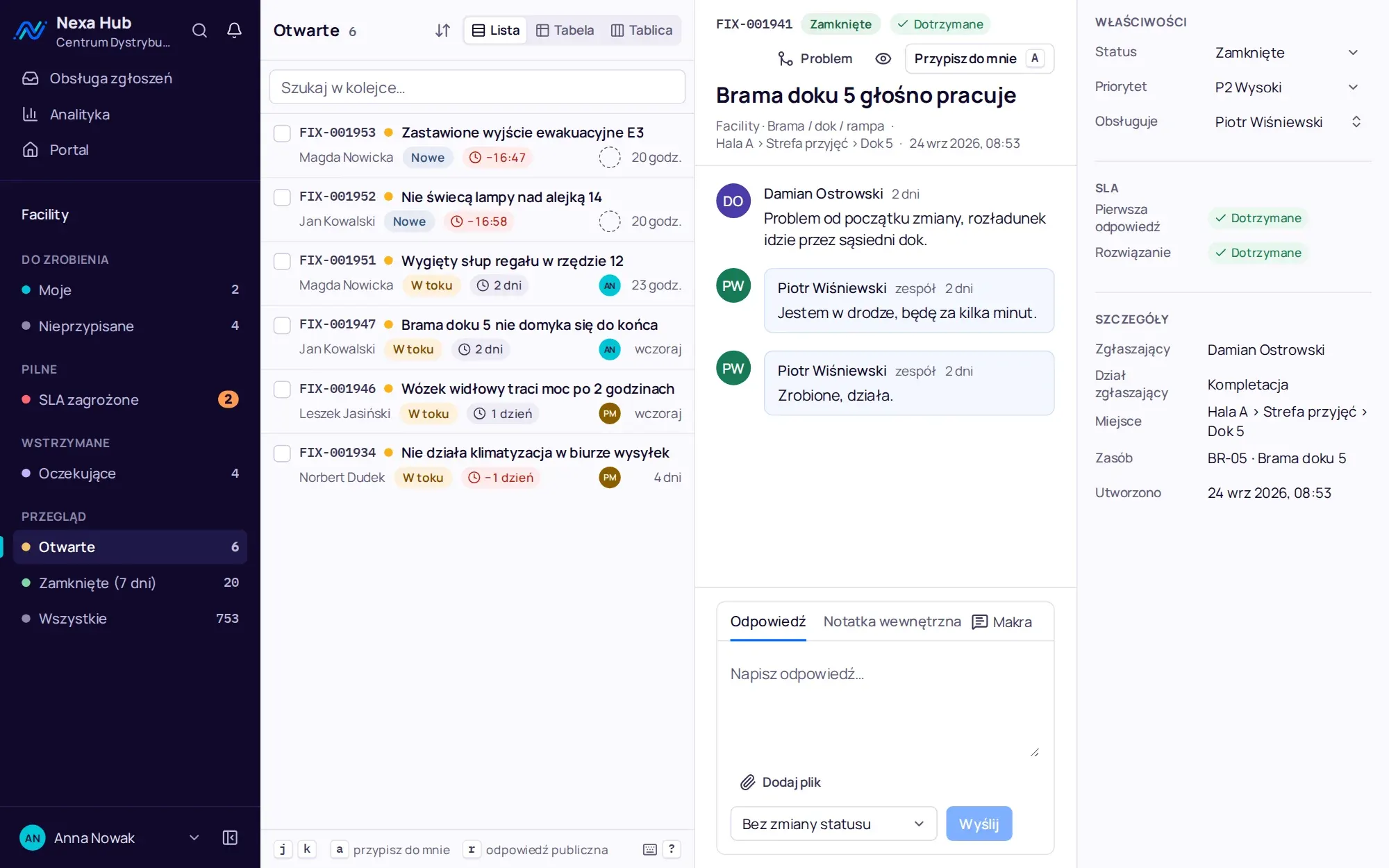
Employee portal: three steps and done.
The employee chooses a department, then a request type, then fills in the form. Each request type has its own fields, so a door fault asks for the dock number and a printer issue asks for the printer number. The location field suggests places from the tree, for example Hall A, Receiving area, Dock 5, and the asset field narrows the list to equipment in the chosen location.
A description quality meter runs under the description. When the description is too short or repeats the title, the system says so but does not block submission. Once the title is typed, the form shows similar open tickets and known problems, so the employee can click “Affects me” instead of reporting the same fault again.
- conditional fields: “show when an earlier field has a value”
- photos and files up to 20 MB, including pasted from the clipboard
- a “My tickets” list with statuses worded for the requester
- the typical first response time from the last 30 days shown on each department tile
- the same portal on phones, with bottom tabs, and on tablets and computers
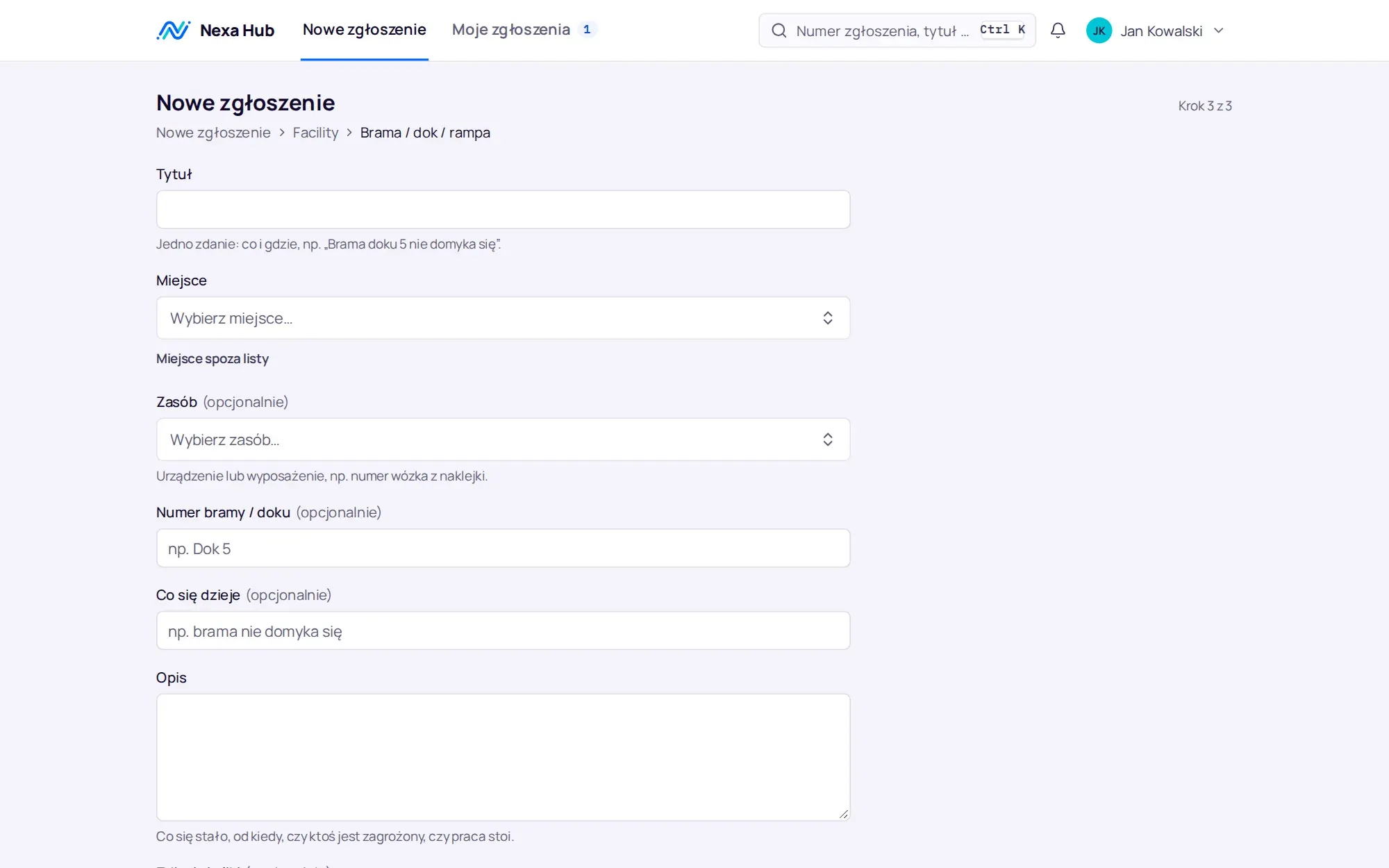
Department desk: queues that count themselves.
Agents work from queues: mine, unassigned, SLA at risk, waiting, open, closed in the last 7 days. Counters refresh live without reloading the page. A ticket opens next to the list, and the properties panel shows status, priority, assignee, SLA state, requester, requesting department, location and asset.
The reply to the requester and the internal note are two separate tabs. Notes never reach the requester, e-mails or webhooks. Macros insert ready-made text with variables, such as the requester's name and ticket number, and set the status at the same time.
- list, table and kanban board, sorting by priority and SLA deadline
- Ctrl+K palette: find a ticket by number or title words
- keyboard shortcuts for frequent actions, the full list under the ? key
- search without Polish diacritics: “zolta tasma” finds “Żółta taśma”
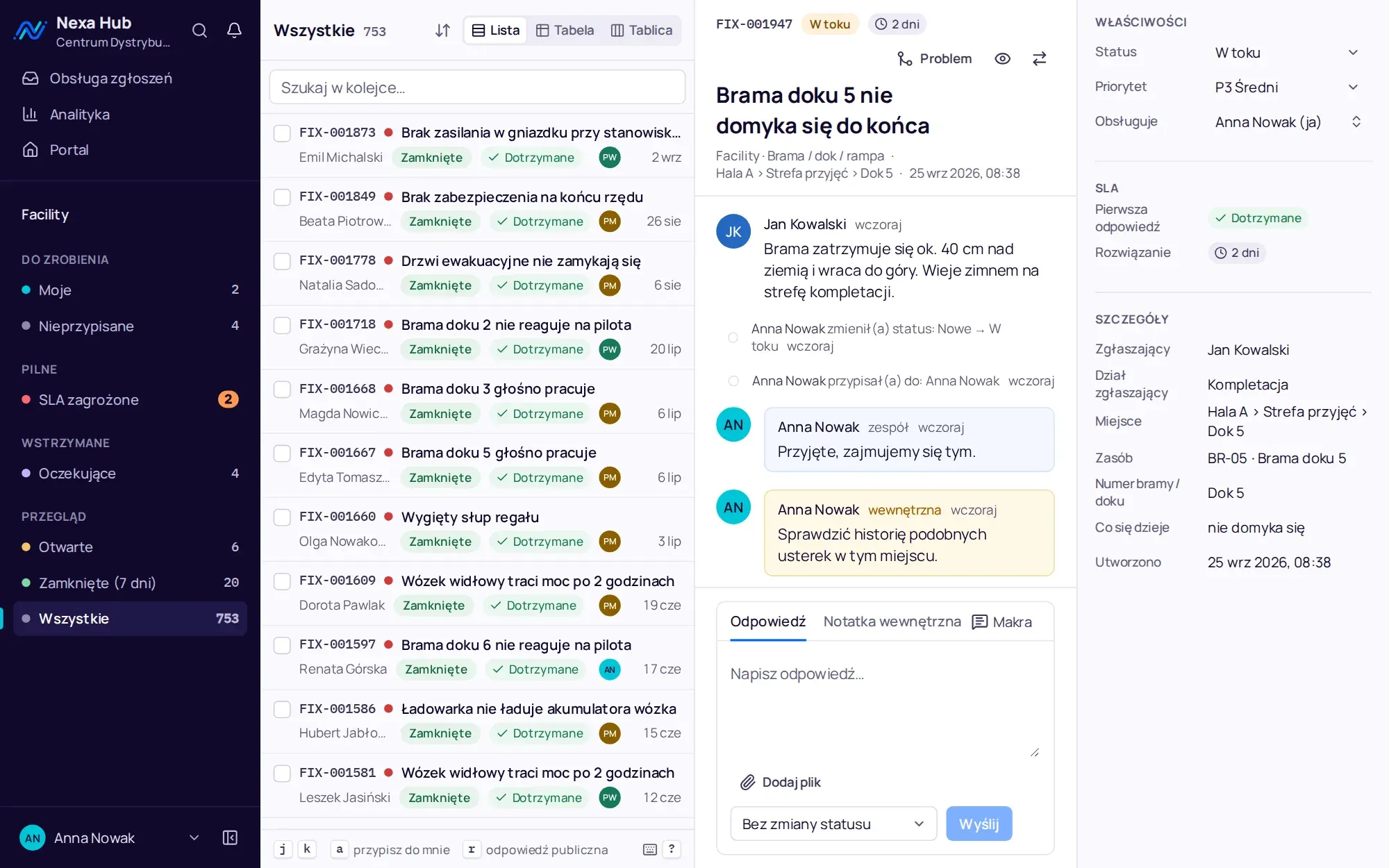
Collaboration without losing track.
Bulk actions let you select several tickets and assign them, change status or priority in one go. Each ticket is updated separately with version control, so a conflict on one does not roll back the others, and the Undo button restores previous values.
Watchers get notifications about replies and status changes without being assigned. Transferring a ticket to another department keeps its number, so links and e-mail threads keep working, and the new team is notified. The reason for the transfer goes into an internal note.
- team members watching tickets
- transfers between departments that keep the ticket number
- routing: a request type goes straight to a named person
- live in-app notifications and e-mail
Problems and known issues: one cause, one answer.
When several tickets share the same cause, an agent marks one as a problem and links the others to it. Closing the problem with a public reply closes all linked tickets with the same reply, and every requester is notified.
A problem can be announced in the portal. Employees then see a banner on the home page and click “Affects me”. This creates their own ticket, already linked to the problem, and the team sees how many people the fault affects.
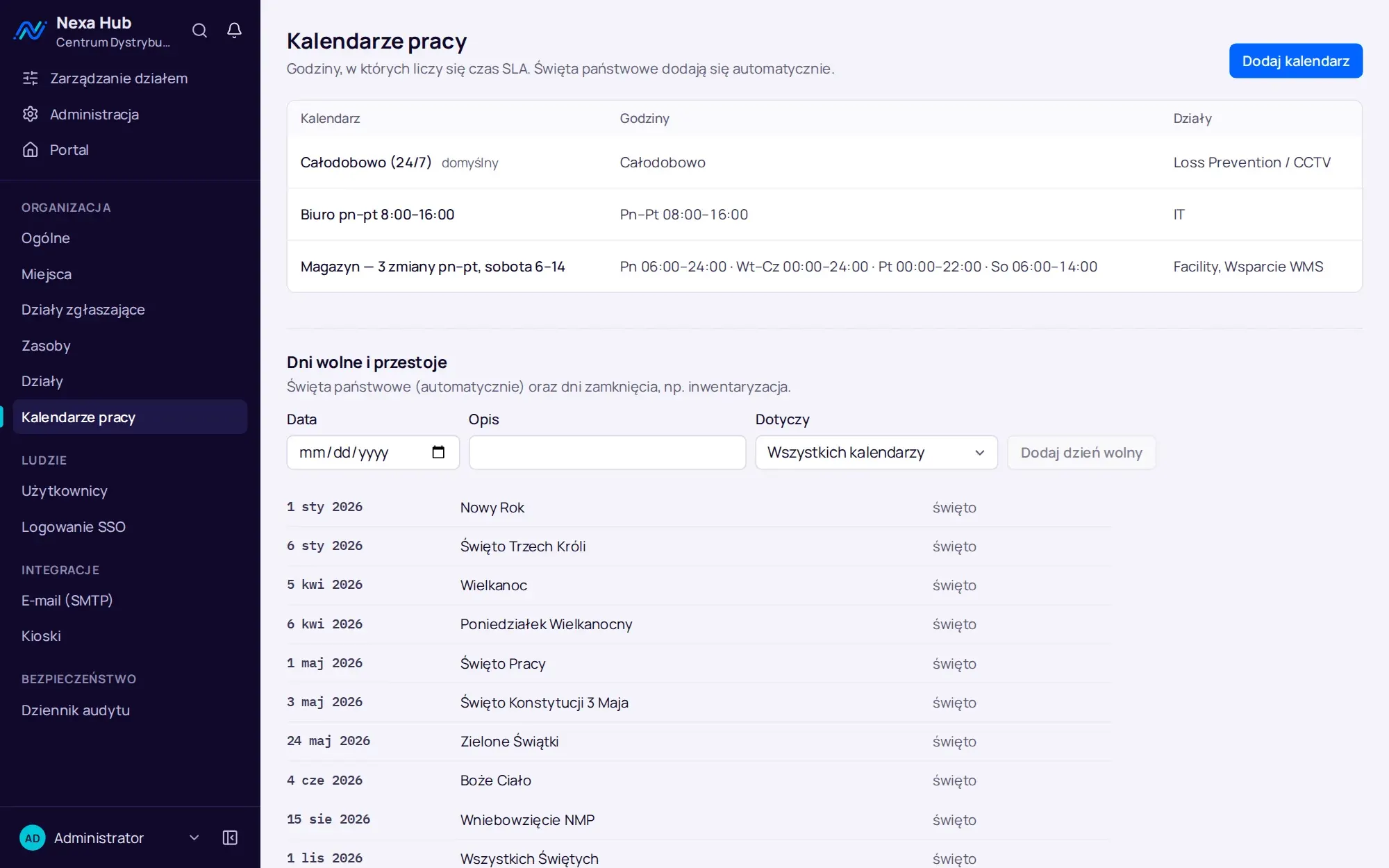
SLA counted in working hours according to the company calendar.
Each department has a working calendar: shift hours and days off. Polish public holidays are added automatically, including Easter and Corpus Christi. First response and resolution times are set separately for each priority, with a target compliance percentage.
Waiting statuses, such as “Waiting for parts” or “Waiting for requester”, pause the clock. A warning arrives before the deadline and a notification after it, and the ticket moves to the “SLA at risk” queue. All working-time arithmetic lives in one place in the code and has property-based tests, including daylight saving changes and Christmas Eve.
- a separate target for each priority, an empty field means no deadline
- a calendar assigned to each department, different shifts in different departments
- SLA pause for waiting statuses
Department dashboard and management dashboard.
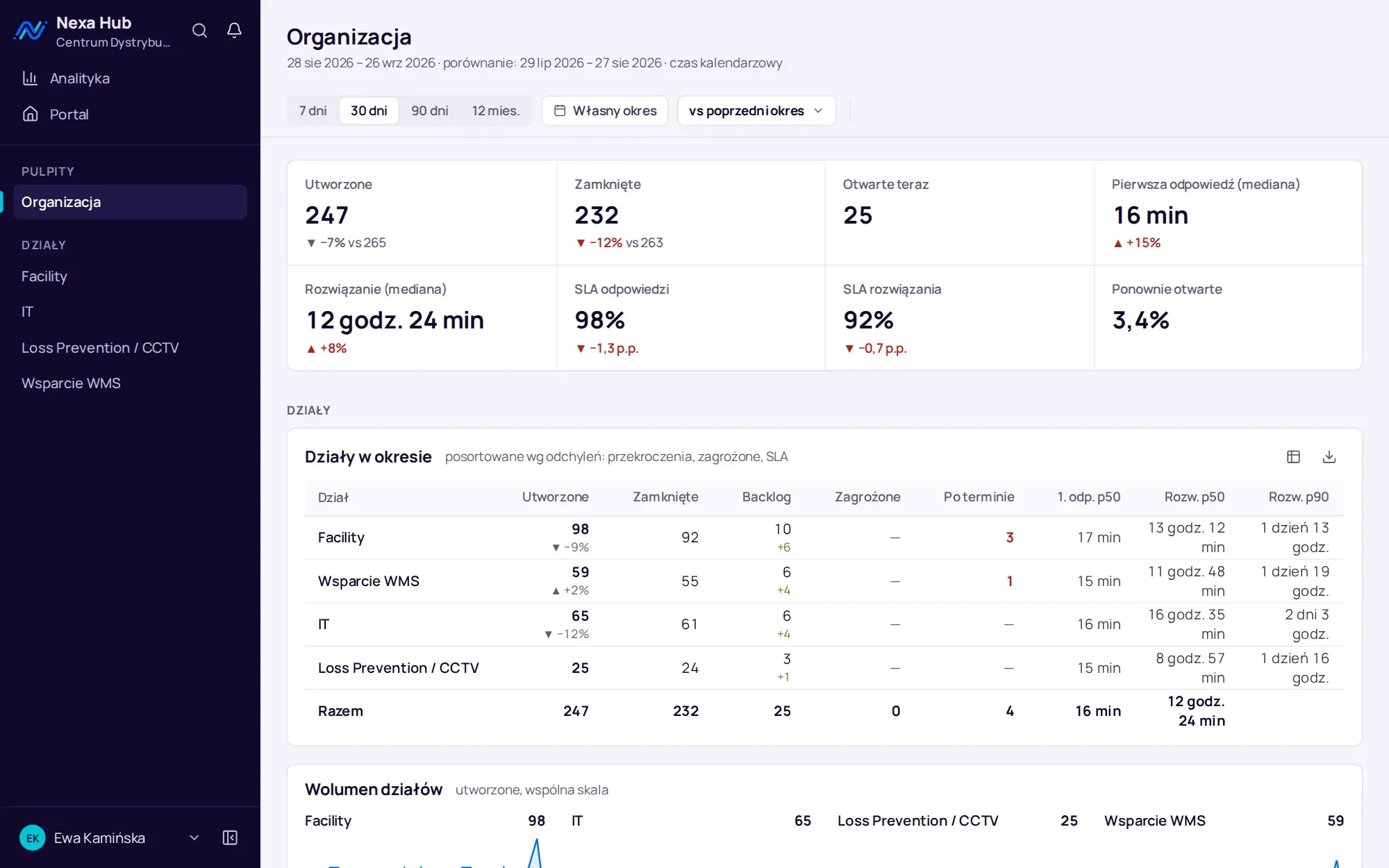
The department dashboard opens with the current state: backlog by status, unassigned tickets, SLAs at risk and breached, on-hold tickets and the oldest open ticket. Then come 10 period indicators, each with the change against the previous period or the year before and the sample size, followed by sections on flow, speed and SLA, backlog age, quality, structure, team and problems.
Clicking a number, for example a backlog age cell, opens the desk with exactly those tickets. The management dashboard shows organisation-wide indicators and a table of departments sorted by deviation, and each agent sees their own statistics against the team, visible only to them. You export ticket data to CSV and XLSX, and department administrators receive a report on the previous week every Monday.
- periods of 7, 30 or 90 days, 12 months or custom dates, with filters saved in the page address
- every chart with its data on view and CSV and PNG export
- exports protected against spreadsheet formula injection
Configuration without a developer.
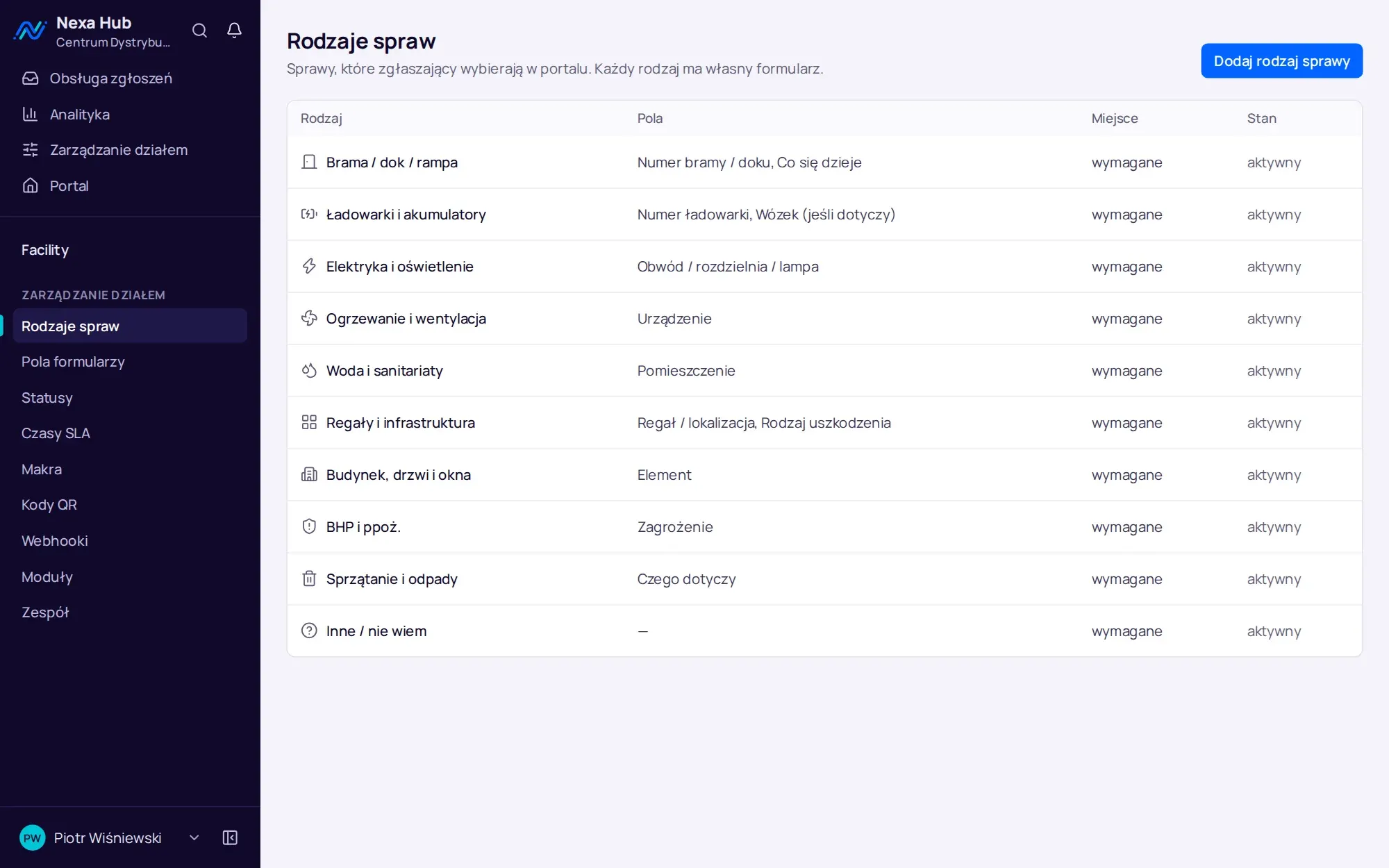
The department administrator sets up request types, a field library (text, number, list, multiple choice, date, time, yes or no, URL, person), statuses with names for the team and for the requester, SLA times, team, macros, QR codes, webhooks and modules. Configuration is deactivated rather than deleted, because it appears in historical tickets.
A department template is a file with the configuration but no people or tickets. You download it at one site and create a department from it at another, even in a different Nexa Hub installation.
Questions about Nexa Hub: features.
Does Nexa Hub have a kanban board?
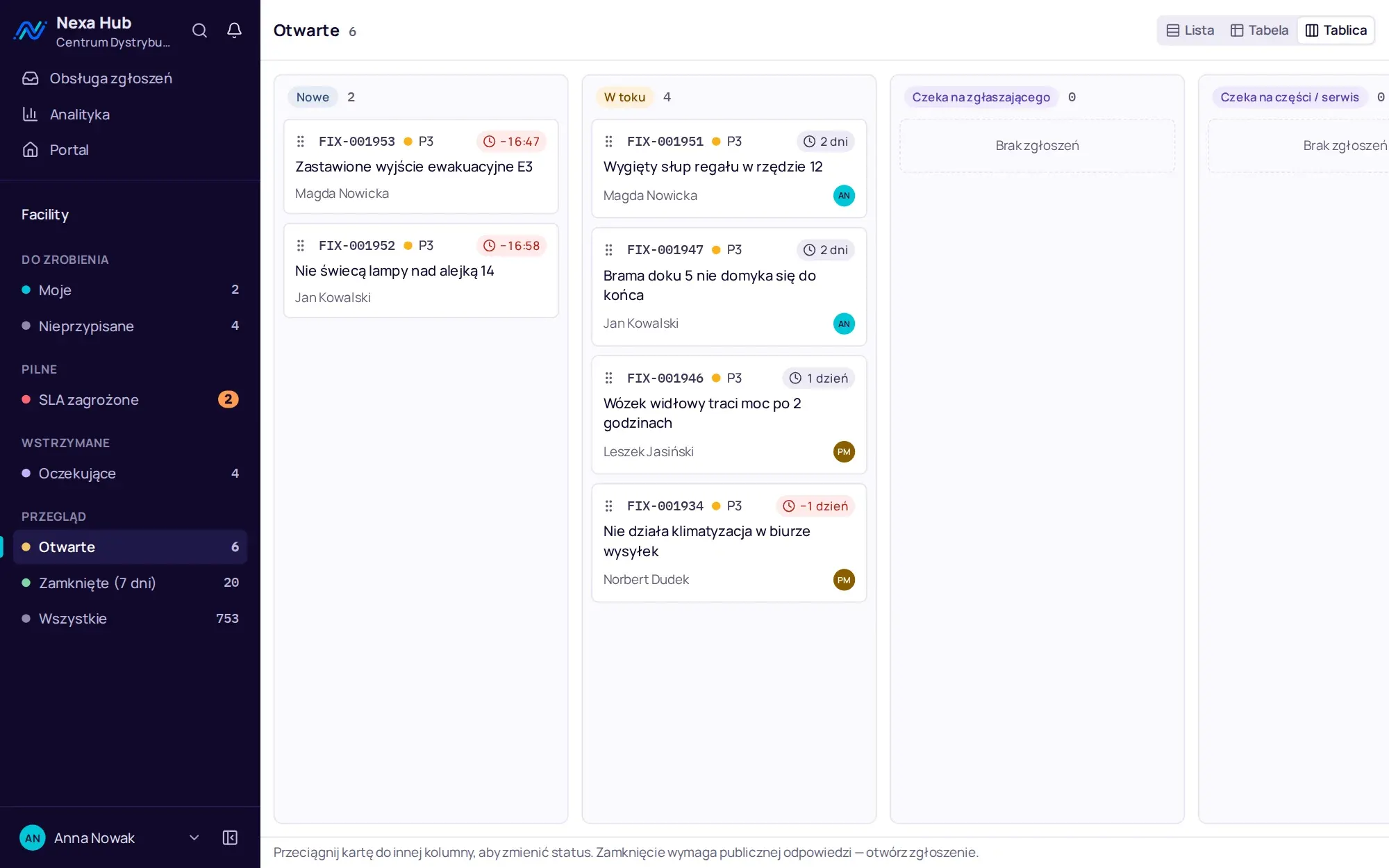
Yes. The desk has three views: list, table and board. The board columns are the department's open statuses, cards are dragged with a mouse, touch or keyboard, and a status change can be undone. Closing a ticket requires a public reply, so it does not happen on the board.
Does search work without Polish diacritics?
Yes. Queue search works on number, title, description and location, regardless of Polish characters and on word beginnings. The best matches appear at the top of the list.
Can a ticket be raised from a phone?
Yes. The portal works in the phone's browser, and a QR code opens the form with the location already filled in. A photo can be added from the camera or the gallery.
How is SLA time counted at night and on public holidays?
It is not counted. The SLA runs only during the department's working calendar hours, and Polish public holidays are added to the calendar automatically. Waiting statuses pause the clock until work resumes.
Online demo · no obligation
See Nexa Hub live, using your departments as the example.
- Online demoWe show the portal, desk, analytics and department configuration on demo data, and ask about your departments, shifts and sites.
- QuoteLicence, deployment and optional support priced for your company. One offer with a defined scope, after a single conversation.
- InstallationA server in your network or in your cloud, an HTTPS certificate, backups, sign-in with Microsoft 365 or Google.
- Departments and go-liveWe set up request types, fields, SLAs, QR codes and the kiosk together with your department managers, followed by short team training.