

NNexa Hub 1.2 · a ticketing system by NexaIT
A fault reporting system for warehouses and manufacturing.
On the shop floor nobody is going to look up the maintenance team's e-mail. The employee scans a QR code on the door or walks up to the kiosk, enters their number and PIN, and the ticket reaches the right department with the location, equipment and photo.
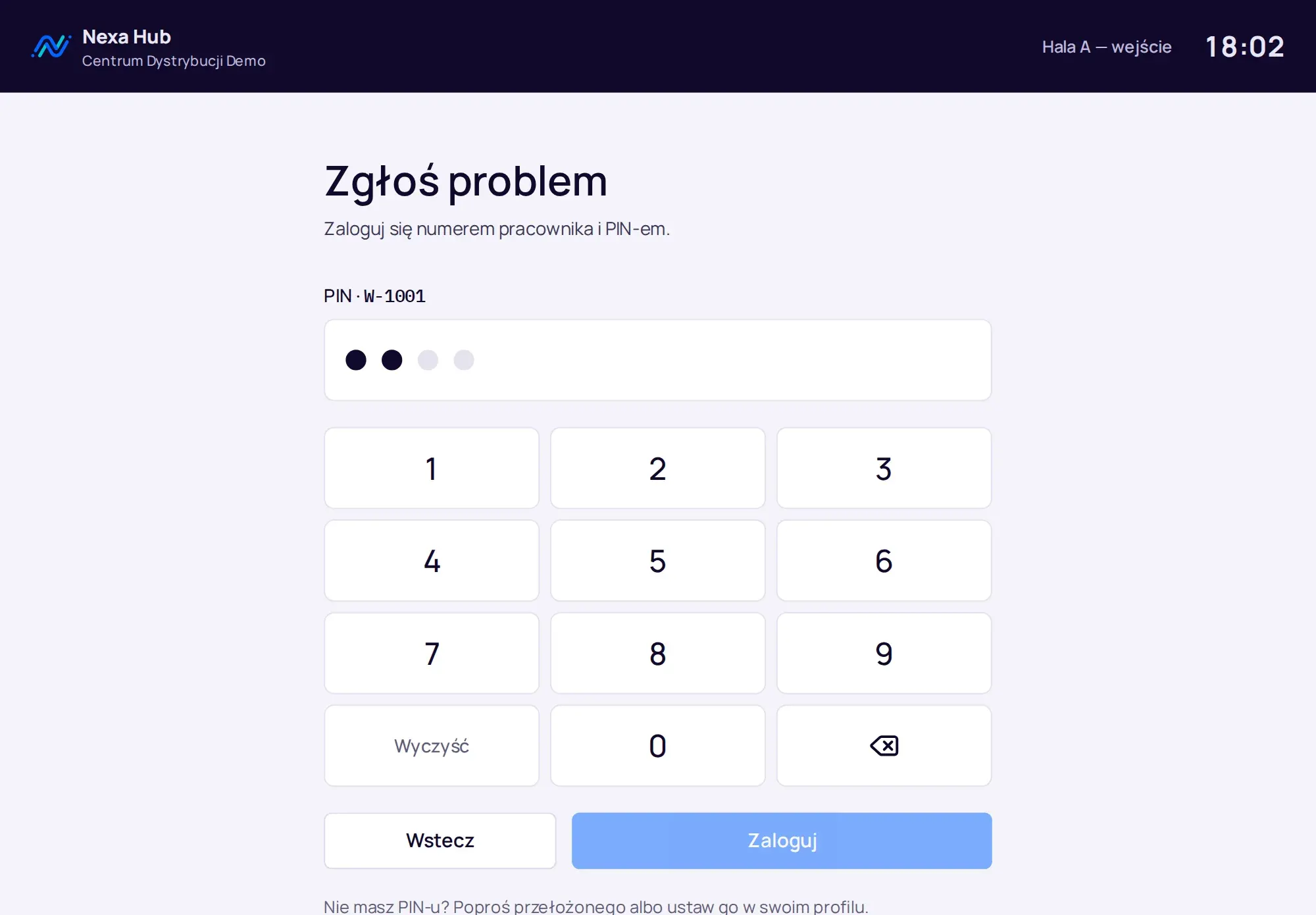
A QR code on the machine, the door and the charger.
A department administrator adds codes in a few minutes: they choose a request type and enter the labels, one per line, for example “Dock 5”. An A4 sheet with twelve stickers prints straight from the browser. Each sticker has a name, a location and a short instruction: “Scan with your phone to report a problem”.
The scan opens the form with the chosen request type, location and asset filled in. Someone who is not signed in signs in first, including with a company account, and returns straight to the form. The code table shows the number of scans, so you can see at once where most reports come from. A deactivated code stops working, for example after a machine is removed, and the sticker does not have to be torn off straight away.
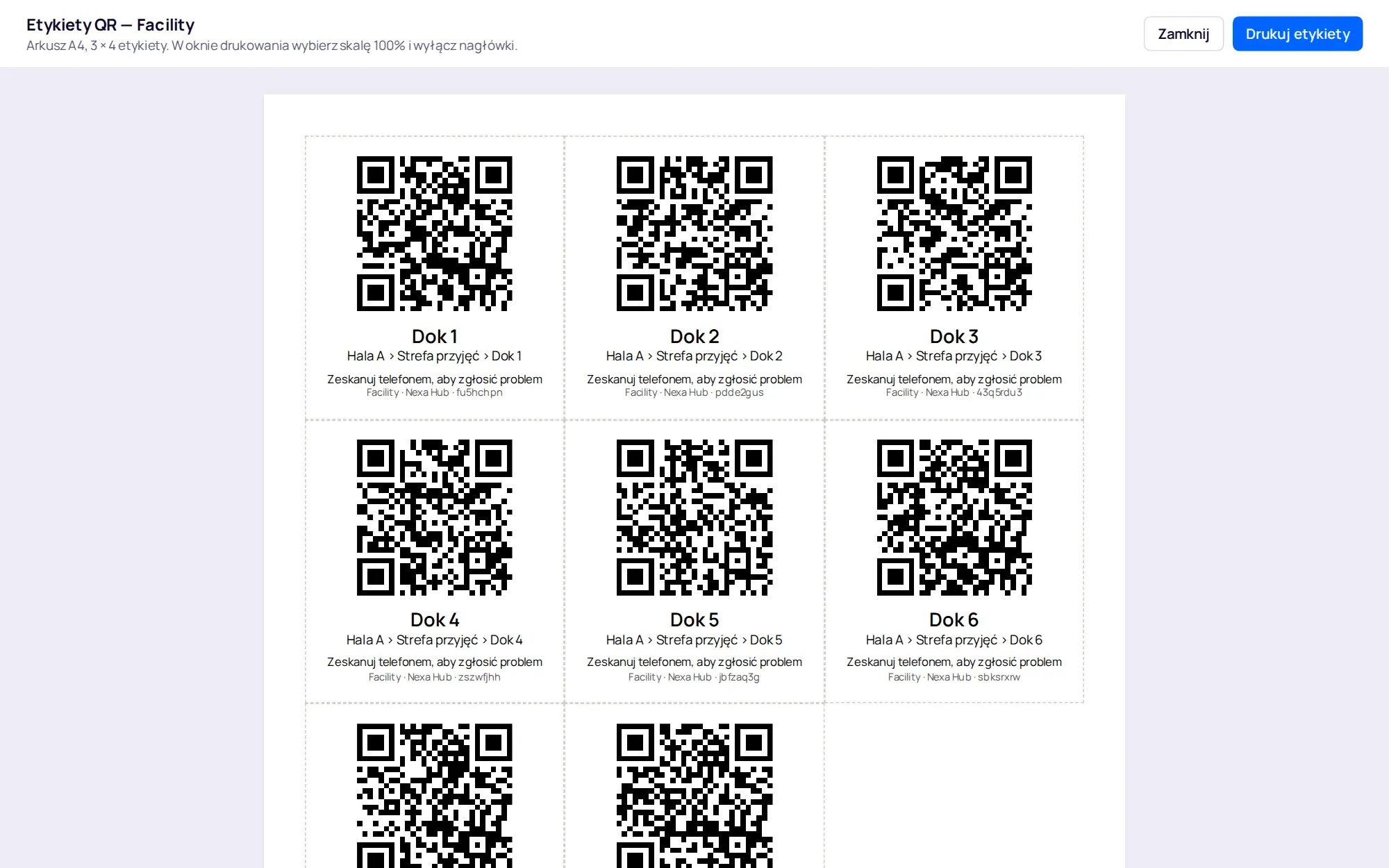
A kiosk for people without a company e-mail.
In warehouses and manufacturing many people have no company mailbox. The kiosk is a shared tablet or computer at the shop floor entrance. Employees sign in with their employee number and PIN on a large touch keypad and act only as requesters, even if they have wider permissions in the system.
After 60 seconds of inactivity the kiosk signs out by itself, with a warning 15 seconds beforehand. Five wrong PINs within 15 minutes block PIN sign-in for that person, but not their account, so nobody on the shop floor can lock a colleague out. Changing the password, PIN or two-factor authentication is not available on the kiosk.
- after submitting, a large ticket number to note down or photograph
- a PIN of 4 to 8 digits, without obvious sequences
- device activation with a one-time link or QR code
- deactivating a kiosk in administration ends its sessions immediately
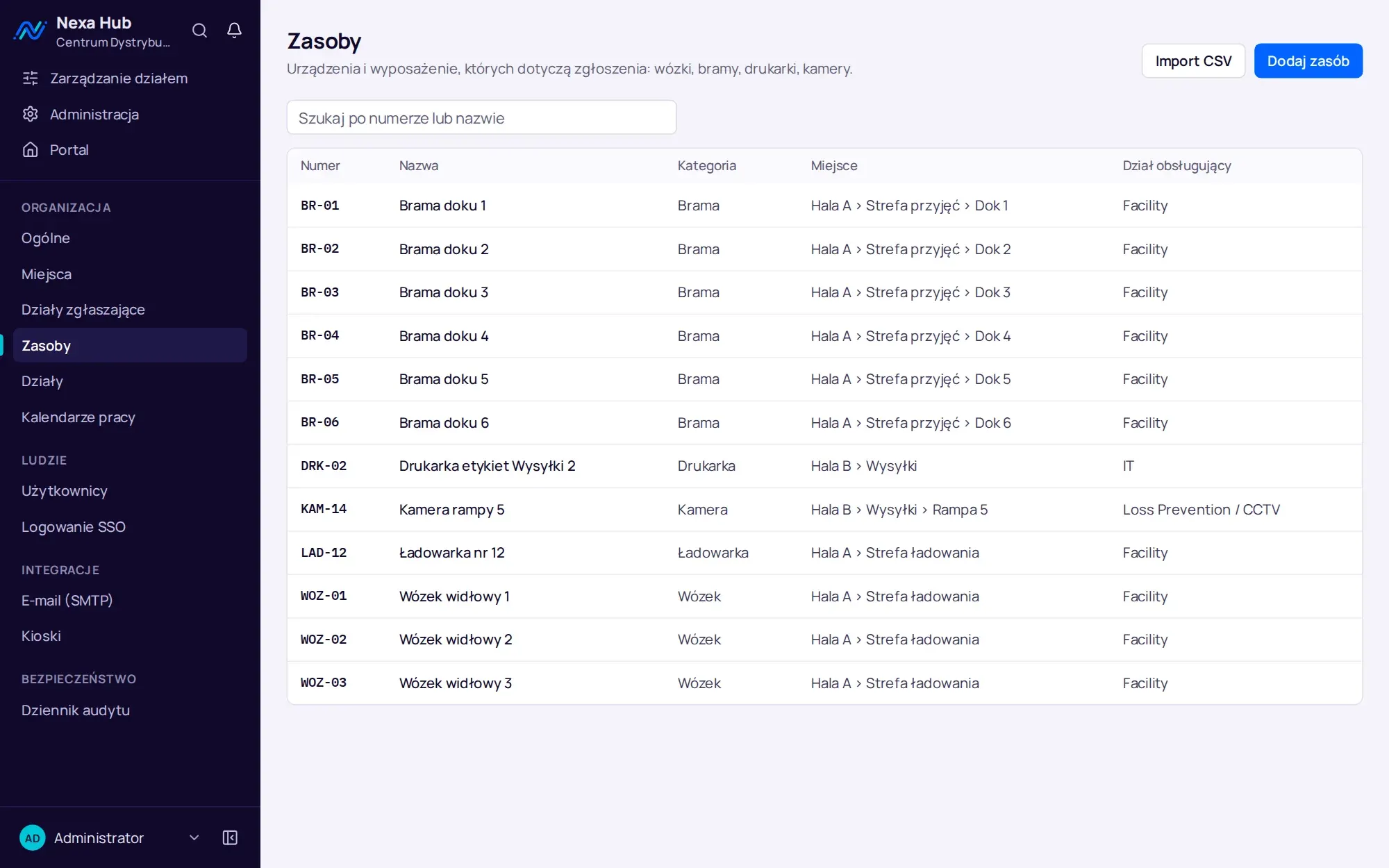
Locations and assets instead of “over there, by that door”.
The location tree has up to five levels: site, hall, area, dock, workstation. Assets are doors, forklifts, chargers, printers and cameras with a number, location and responsible department. You import the asset list from a CSV file, and the system first shows the result for each row and saves the file only when there are no errors.
This way analytics answers the questions a maintenance manager asks: which door fails most often, which forklift keeps going back for repair, which location generates the most tickets. Requesting departments, such as picking or dispatch, show where the work comes from.
Three shifts and Saturdays until 2 pm.
The department's working calendar holds the hours of every shift. The SLA counts only while the department is working, so a fault reported on Friday evening is not overdue on Monday morning. Polish public holidays are in the calendar automatically.
Statuses such as “Waiting for parts” or “Waiting for service” pause the clock. The deadline resumes when the parts arrive and the ticket goes back into work. Time counted this way is fair to the team and clear to management.
CCTV recordings secured before they are overwritten.
The CCTV recording retention module is meant for a security or Loss Prevention department. You set how many days the recorder keeps footage and when to warn. Each ticket then shows a badge with the overwrite date, and the desk has a “Recordings at risk” queue.
Only the department team can see the recording link. It does not reach the requester, e-mails or webhooks. The requester only sees that the recording has been secured, and the team sees who secured it and when.
Several departments in one hall.
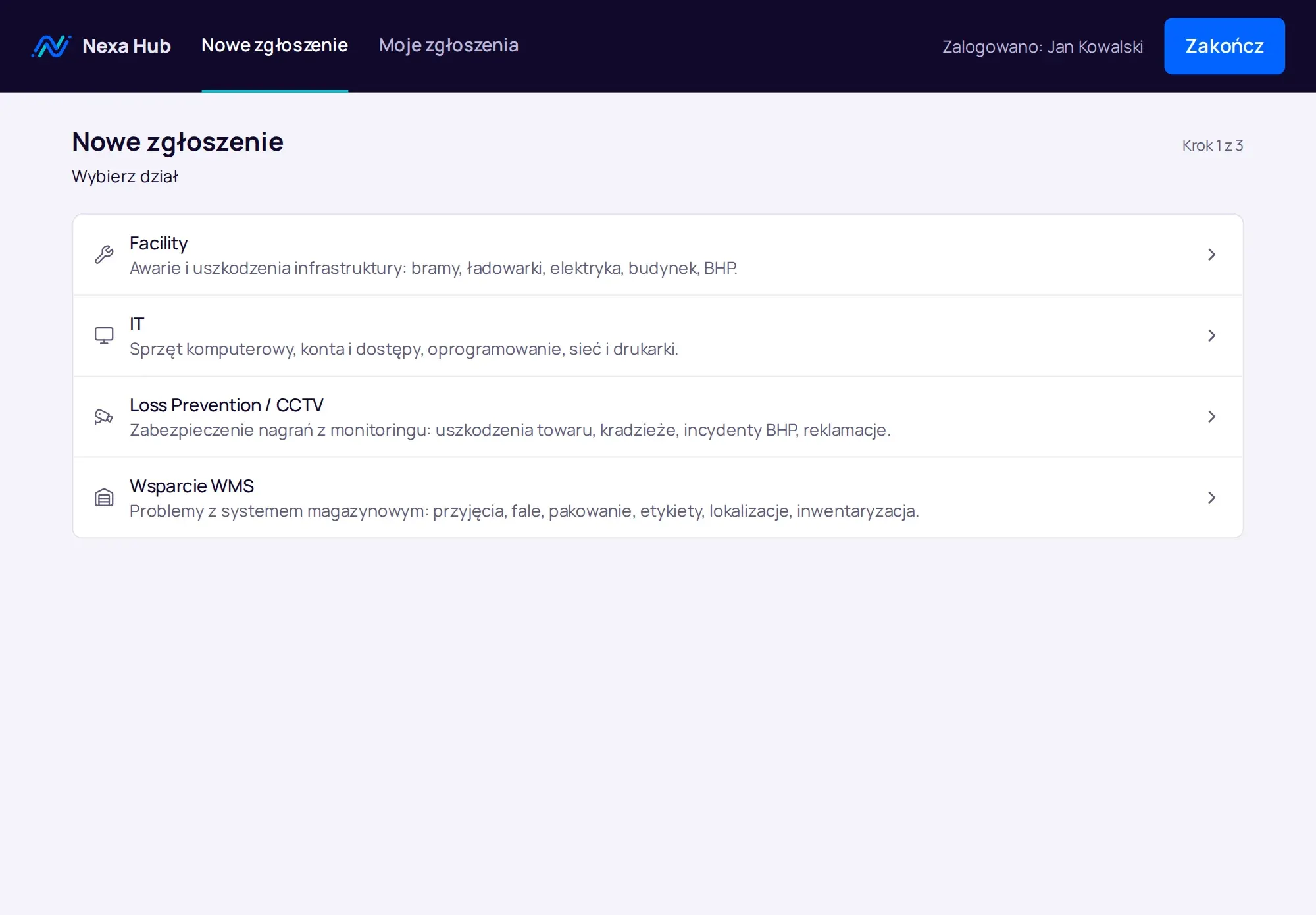
The same door can be a Facility matter while the label printer on the same ramp is an IT matter. Employees do not need to know which department is responsible for what: in the portal they choose a department from its description, and if they pick the wrong one, the team transfers the ticket without changing its number.
The demo version has four departments set up for a distribution centre: Facility, IT, Loss Prevention and WMS support. Each of them can be downloaded as a template and adapted to your plant.
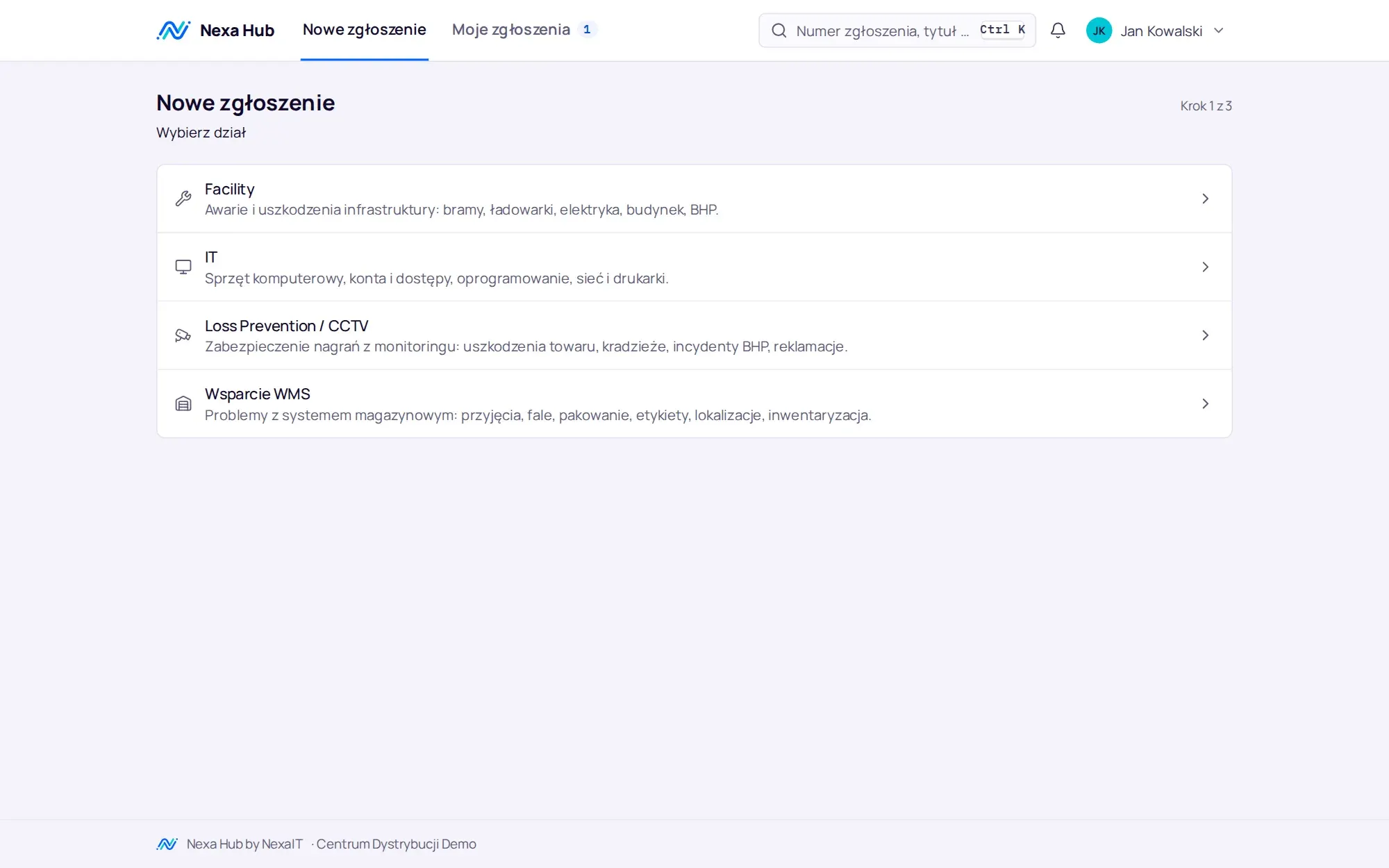
Start with one hall, then the next.
The simplest start is one department and one hall. The maintenance manager picks the requests that today arrive by phone, on paper or via a messenger, and we prepare the forms, QR codes for the equipment that fails most often and a kiosk at the entrance. After a few weeks analytics shows where most tickets come from and how long the response takes.
Further departments and sites join the same installation. A department template carries the configuration over to another plant, and you load the location tree and assets from a file. Employees do not learn a separate tool for each department, because there is only one portal.
- one department and one hall to start
- QR codes on the equipment with the most faults
- a kiosk at the shop floor entrance
- a review of the numbers after the first weeks
Questions about Nexa Hub: warehouses and manufacturing.
Do you need an app to report from a QR code?
No. The code opens the form in the phone's browser. If the employee is not signed in, they sign in and return straight to the form with the location filled in.
What hardware does the kiosk run on?
Any tablet or computer with a browser. The device is activated with a one-time link from the administration panel, and it is worth setting the kiosk page as the start page in full-screen mode.
Does Nexa Hub replace a CMMS?
Nexa Hub is a ticketing system: it receives, routes, measures and reports requests from many departments. It does not schedule periodic inspections or manage a spare parts store. If you need those, Nexa Hub can serve as the ticketing channel alongside such a system.
Can a QR code be assigned to a specific piece of equipment?
Yes. A code points to a request type, a location and an asset, for example forklift WOZ-01 or door BR-05. The scan fills in both form fields, and analytics later shows the assets reported most often.
Can we have several warehouses in one installation?
Yes. Sites have their own code, time zone and location tree, and the form shows the site code when choosing a location. A ticket records both the location and the site.
Online demo · no obligation
See Nexa Hub live, using your departments as the example.
- Online demoWe show the portal, desk, analytics and department configuration on demo data, and ask about your departments, shifts and sites.
- QuoteLicence, deployment and optional support priced for your company. One offer with a defined scope, after a single conversation.
- InstallationA server in your network or in your cloud, an HTTPS certificate, backups, sign-in with Microsoft 365 or Google.
- Departments and go-liveWe set up request types, fields, SLAs, QR codes and the kiosk together with your department managers, followed by short team training.