

NCrewline 2.3 · operations system by NexaIT
WMS, ERP and MES integrations, without retyping figures.
Crewline does not replace your systems; it uses the data already in them. Volume and actuals arrive via API, from a file or from a folder on the server, every figure keeps a record of its source, and Crewline itself notifies other systems of important events with a signed webhook.
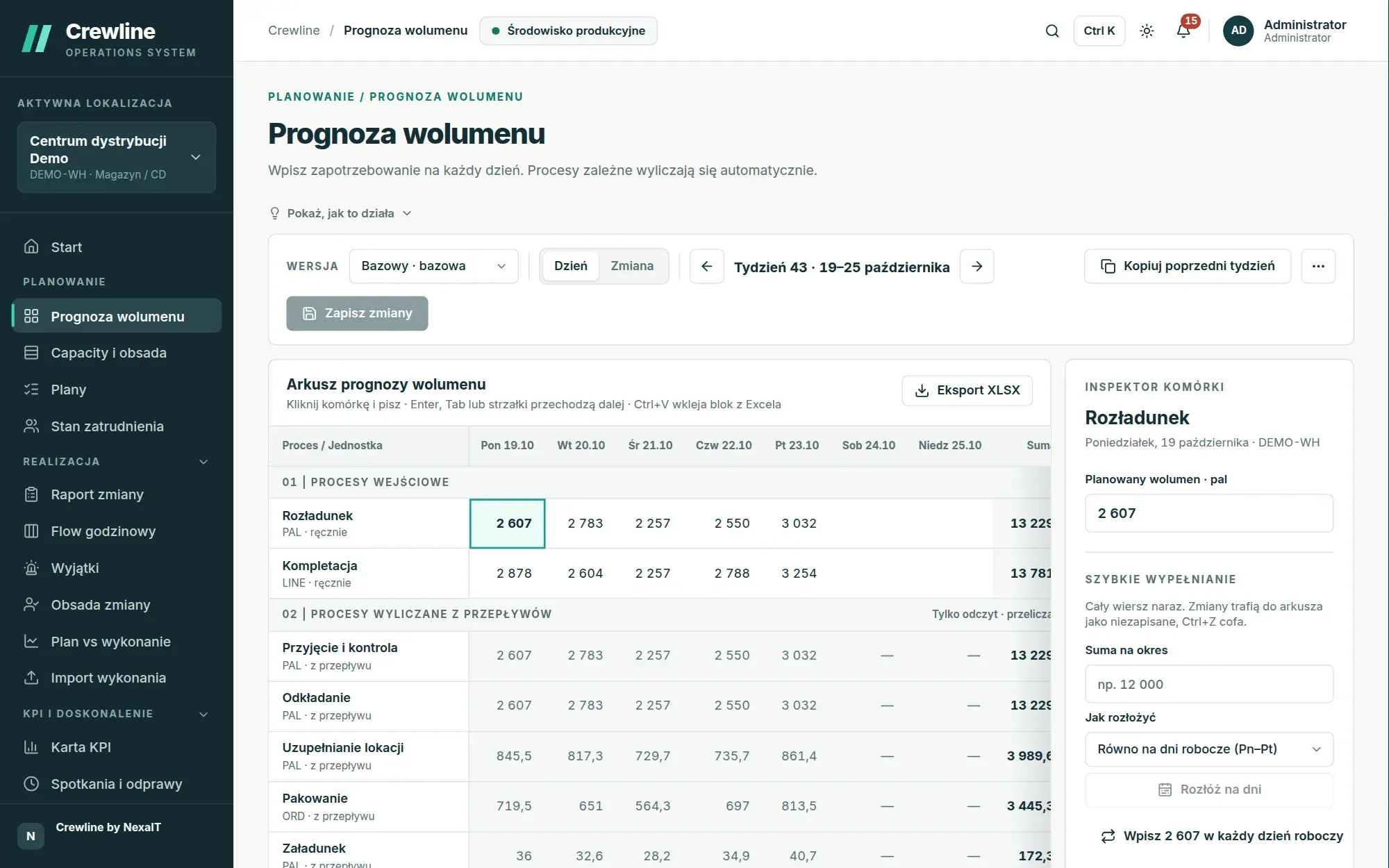
Start with Excel: import wizard with full validation.
Initial data almost always comes from spreadsheets. The import wizard accepts CSV and XLSX files of up to 10 MB and 50,000 rows for twelve data types: departments, processes, resources, productivity standards, process flows, volume forecast, actuals, staff present on shift, skills, crew, skills matrix and KPI values. Each data type comes with an XLSX template containing a sample row.
Columns are matched automatically, including by Polish names and names without diacritics, and you can save the mapping as a profile for subsequent files from the same system. Before saving, the wizard checks the entire file, including references to processes, shifts and departments, and reports every problem with its row number. A file with even a single error is not saved, while a valid file is written to the database in a single transaction, so it is never saved partially.
- numbers with decimal commas and spaces, e.g. “1 234,5”, read correctly
- error report downloadable as an Excel file
- every import write recorded in the change log
REST API for systems that talk to each other on their own.
The full API specification in OpenAPI 3.1 covers 340 operations and is compared with the running application on every test run, so the documentation never drifts from reality. You send actuals from your WMS, ERP or MES in batches of up to 10,000 rows, addressing them by business codes such as site, process and shift codes rather than internal identifiers.
An idempotency key header ensures that resending the same batch after a dropped connection never creates duplicates. When you need a processing status, you send the batch as an import job processed in the background, with counts of records accepted, unchanged and rejected and an error list that omits the submitted values, and a record with a timestamp older than one already stored does not overwrite the newer one.
- API tokens limited by scope and to selected sites, with an expiry date
- technical account for a system, which never signs in
- per-minute rate limit with headers reporting the limit status
- errors in RFC 9457 format with a stable code and a request identifier
Python SDK, folder agent and ready-made n8n workflows.
For customers with a Crewline licence, we provide a Python SDK with a crewline command-line tool that sends a file in a single command: first as a dry run and then for real. The folder agent turns every file dropped into a designated directory, for example a file that the warehouse management system sends via SFTP to the agent’s folder, into an import job, so integrating a system without an API comes down to a scheduled file export.
For teams using n8n, we have prepared workflows for importing data, receiving signed webhooks and reading events. Tests ensure that the same call made via curl, via n8n and via the SDK produces exactly the same state in Crewline, and we verify the examples on a running n8n instance.
- sync, watch, verify-webhook and agent commands
- 112 SDK tests with 100% code coverage
Signed webhooks about what has happened.
When a plan is approved, a shift report is sent, an import completes, data from a source goes stale or an action changes status, Crewline sends a CloudEvents event to the systems subscribed to it. Every event is signed in line with the Standard Webhooks specification, so the recipient can verify that it came from your installation and has not been altered.
Events contain identifiers and business codes, with no personal data. Delivery is resilient to recipient outages, and a recipient that has been unavailable for longer catches up by retrieving events from the last seven days using a cursor.
- secret rotation with a 24-hour transition period
- protection against delivery to internal addresses without explicit administrator approval
- test event with the delivery result
Notifications for people: Teams, Slack, Google Chat and email.
Notifications for people work separately from machine integrations. Assigned actions, escalations, plans awaiting approval and the morning review go to in-app notifications, to email via your SMTP server and to Microsoft Teams, Slack or Google Chat channels, and each user can turn off emails for themselves.
Sign-in to Crewline works through your corporate account using the OpenID Connect standard, for example Microsoft Entra ID, Google or Keycloak, and local password accounts can run alongside it.
Data sources always under control.
You register each system that sends data as a source, with a time after which its data is considered stale. The sources screen shows the status of each one, its last delivery, the result of its last import and its last error, and the Flow, shift report, forecast and KPI banners show straight away when data from your systems is no longer fresh.
The diagnostic bundle captures the state of the entire installation in a single file without passwords or keys, which shortens conversations with support when an integration behaves differently from what you expect.
Questions about Crewline: integrations.
Which WMS and ERP systems does Crewline integrate with?
Any system from which data can be sent to the Crewline API, directly, via n8n or with a script, or exported as a CSV or XLSX file. Crewline accepts data in an open, documented format addressed by business codes, so integration does not require a ready-made connector for a specific vendor. We agree the scope of integration when quoting the deployment.
Our WMS has no API. Is that a problem?
No, it is enough for the WMS to save an export to a file regularly. The folder agent from the Crewline SDK turns each such file into an import job, and the whole file is validated before saving, exactly as with an import through the browser.
What happens if the WMS sends the same data twice?
Nothing bad: an idempotency key ensures that a retried batch duplicates nothing, and data resent unchanged does not change the state. A record with a timestamp older than one already saved does not overwrite the newer one.
Can we correct a wrong figure from the WMS?
Yes, a person with correction rights enters the correct value, giving a reason and the number of days it applies. The correction takes precedence over all sources until the end of the period, and the full history is retained.
Do webhooks contain personal data?
No, events contain identifiers and business codes, such as site, process or plan codes, without names or other personal data.
Online demo · no obligation
See Crewline live, using your own processes as the example.
- Online demoWe walk through the full cycle on demo data from a distribution centre and an assembly plant, then ask about your processes, your shifts and the spreadsheets you plan in today.
- QuoteWe quote the licence, deployment and optional support for your company in a single offer, prepared after a conversation about scope.
- Installation and configurationA server on your network or one you rent in the cloud, an industry template, processes, process flows, standards and data migrated from your spreadsheets.
- Go-live with your teamThe first plan, the first huddle and training for planners, shift leaders and managers on the screens they will be using.