

NCrewline 2.3 · operations system by NexaIT
For warehouses, distribution centres and manufacturing plants.
Crewline was built for operations where work can be measured by volume and productivity standards, and staffing changes from week to week. An industry template sets up departments, shifts, processes, process flows and standards in a few minutes, and the site profile shows the fields relevant to logistics or to line-based production.
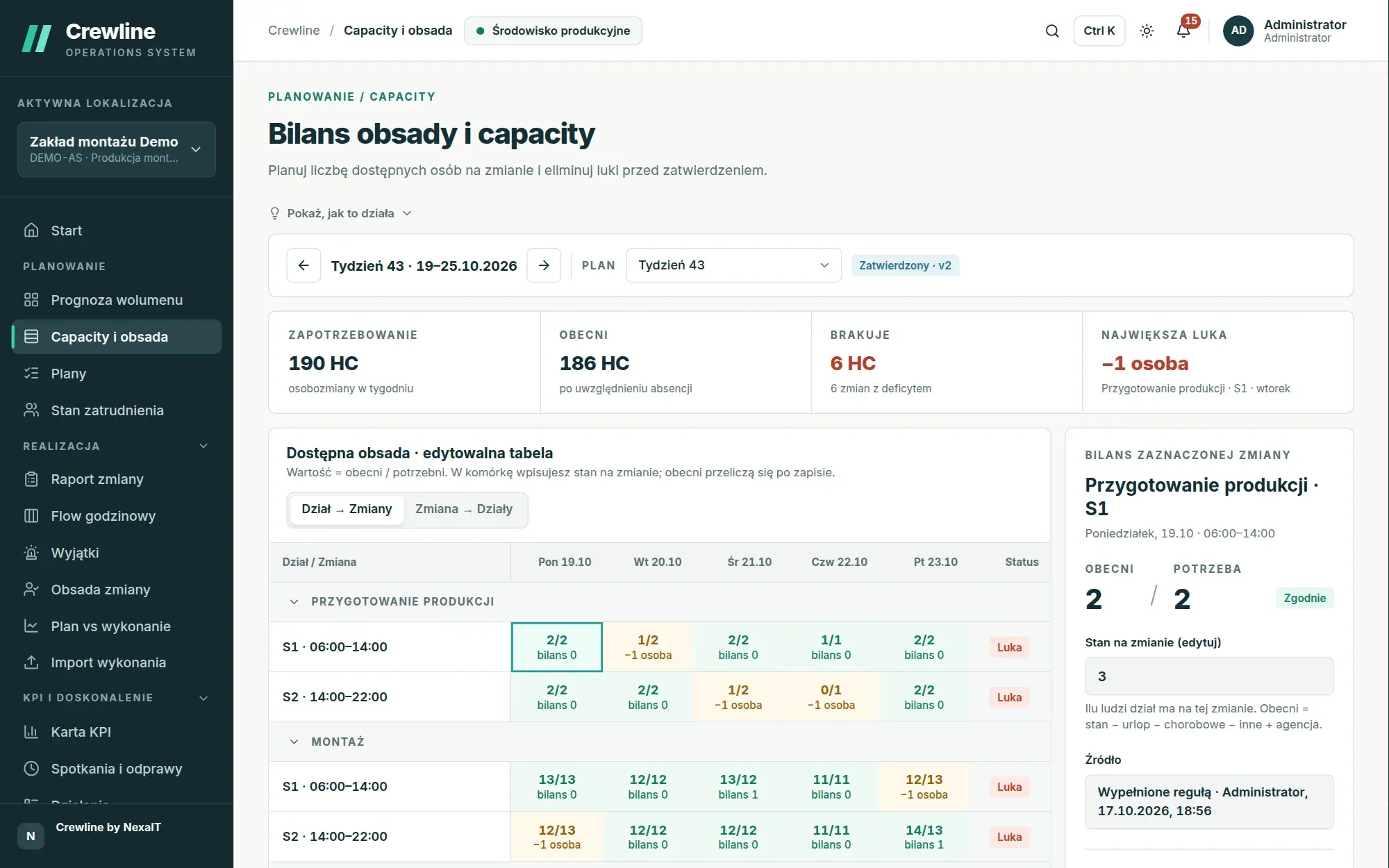
An industry template instead of a blank configuration.
When creating a site, you choose one of the templates: warehouse or distribution centre, assembly production, paint shop, food production or a blank configuration. The template creates sample departments, shifts, processes, process flows and standards, which you then adapt to your needs, so the first deployment conversations are about your numbers rather than building a model from scratch.
A set-up task list guides you through the rest of the configuration, and its tasks mark themselves as done once the data appears: shifts, departments, processes and their links added, staffing baseline, absence percentages, standards completed, the first forecast and the first plan. Until the list is complete, the home screen shows the next task as your next step.
- any hierarchy: organisation, site, department, process, workstation
- shifts running past midnight, paid and unpaid breaks, 8-hour and 12-hour shift systems
- units and conversion factors: pallet, carton, piece, line, order
- custom fields and lists defined without a developer
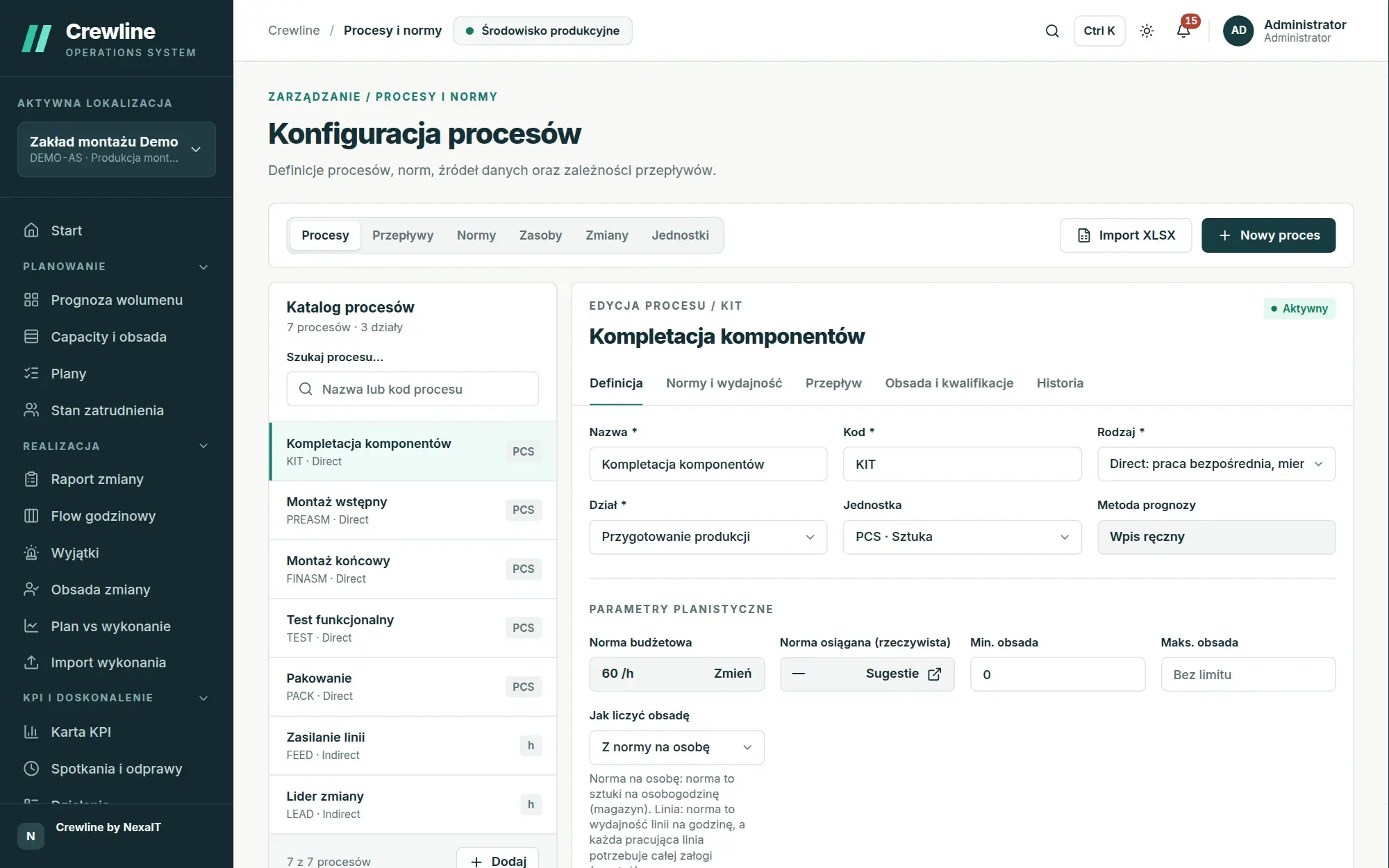
Logistics: inflow, cut-off and backlog.
In the logistics profile, each process can have an inflow distribution across shifts, for example shipments split 20% on the morning shift, 70% on the afternoon shift and 10% on the night shift, plus a cut-off time, the moment the carrier departs, by which that day’s work must be completed, because it cannot move to the next shift. The plan and the Flow monitor this deadline and warn you when it is at risk.
Work to be done is calculated the way a warehouse thinks: the backlog from the previous day plus what comes in. The plan takes the opening backlog from the WMS, an import or the shift report, and whatever people do not complete carries over to the next shift and increases its requirement.
- process flow from unloading to loading, with splits and delays
- labour types: own staff and agency staff, ordered per shift with their attendance rate taken into account
- learning curves for new starters, e.g. 60% of standard at the start
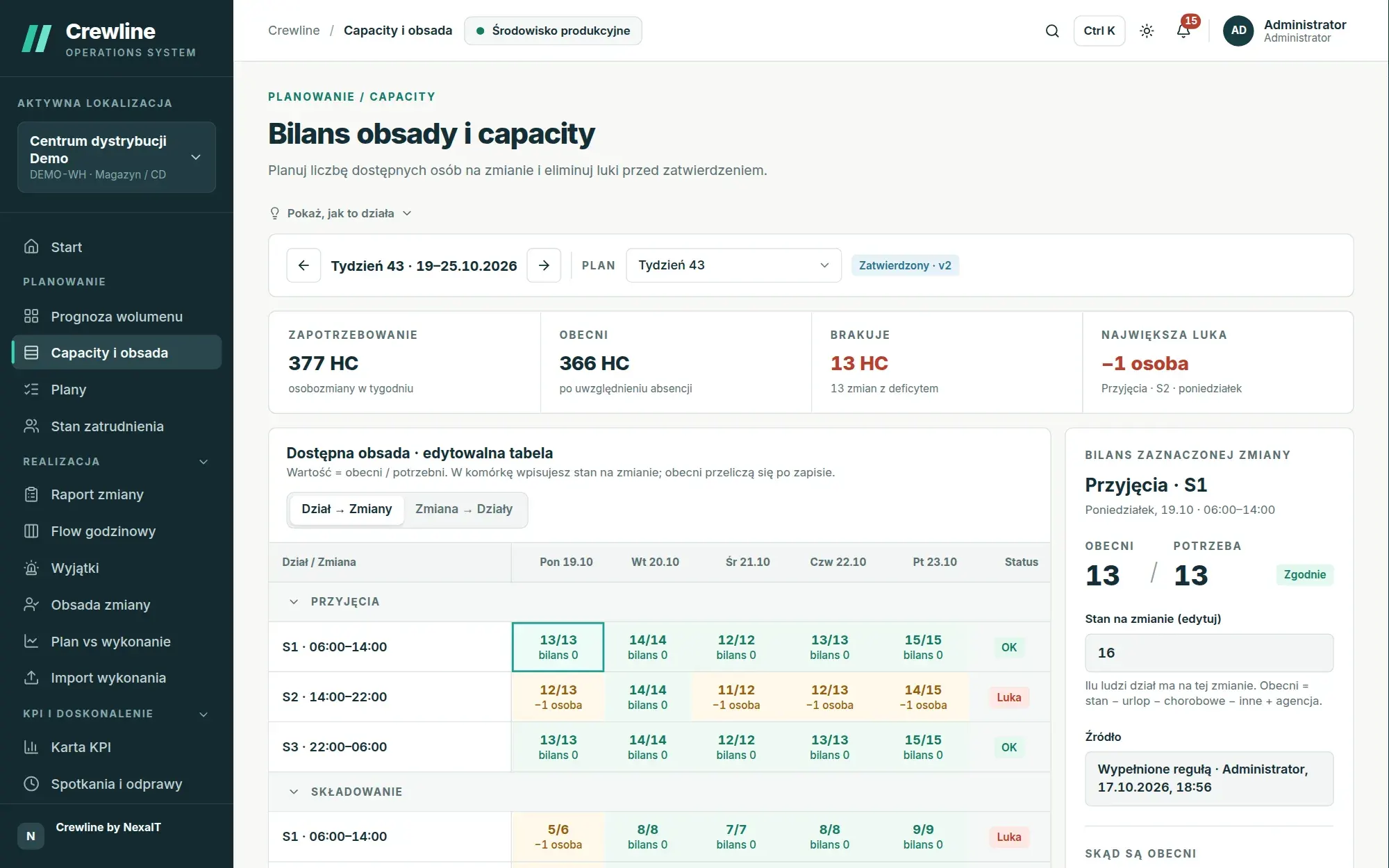
Manufacturing: lines, crews, OEE and changeovers.
In the manufacturing profile, a process can be a line. You enter the crew for one line, the number of lines, OEE and changeover time per shift, and the standard then means the line’s output per hour. The plan calculates how many lines must run on each shift, staffing equals the number of lines multiplied by the crew per line, and when more lines are needed than you have, the result shows the bottleneck.
Process flows support delays, such as drying time in the paint shop, and bottlenecks are checked along the entire flow, taking into account machines and resources shared between processes. Production lines always receive full crews, including when people are allocated to processes.
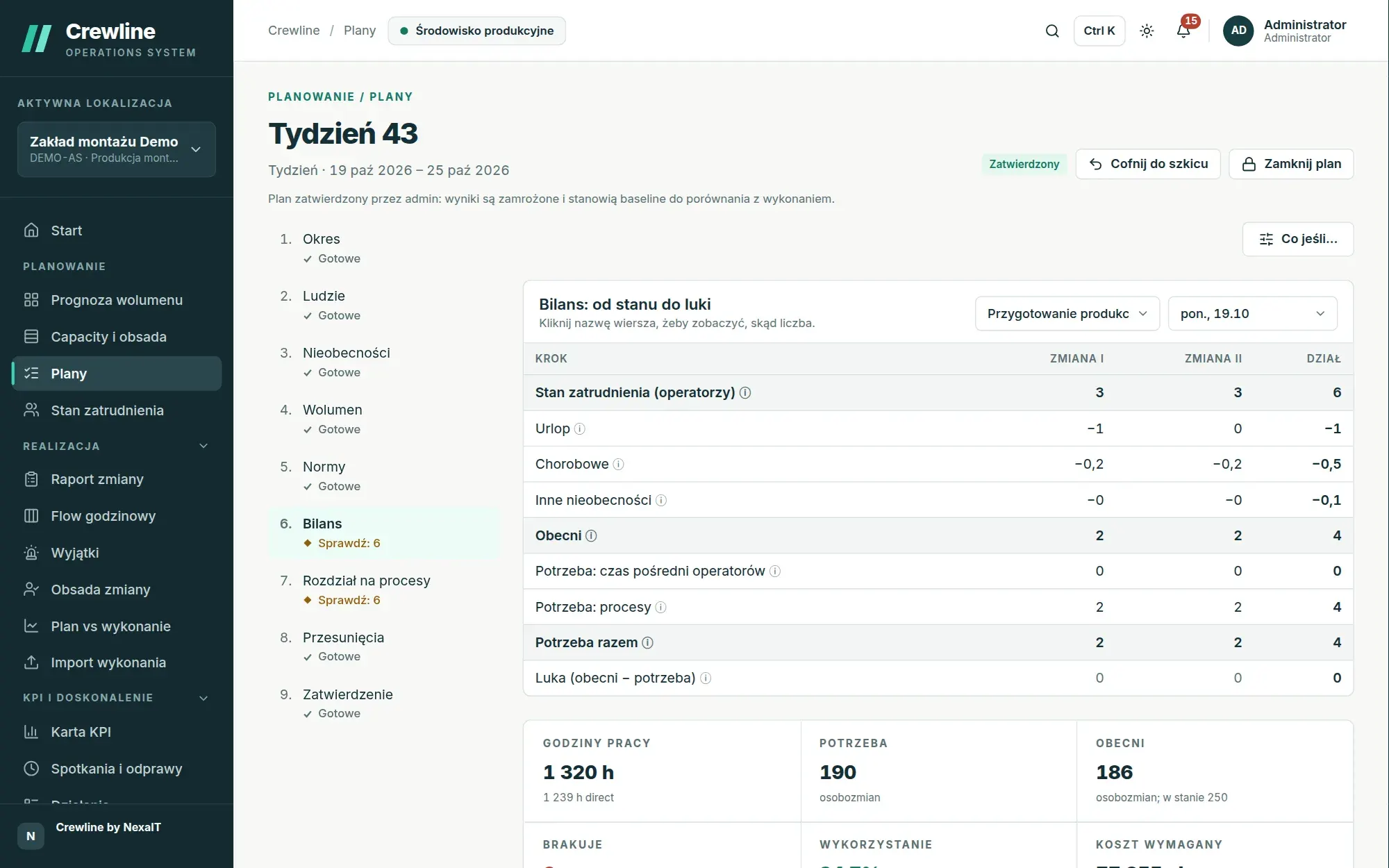
Operational qualifications, that guard against one person’s holiday leave.
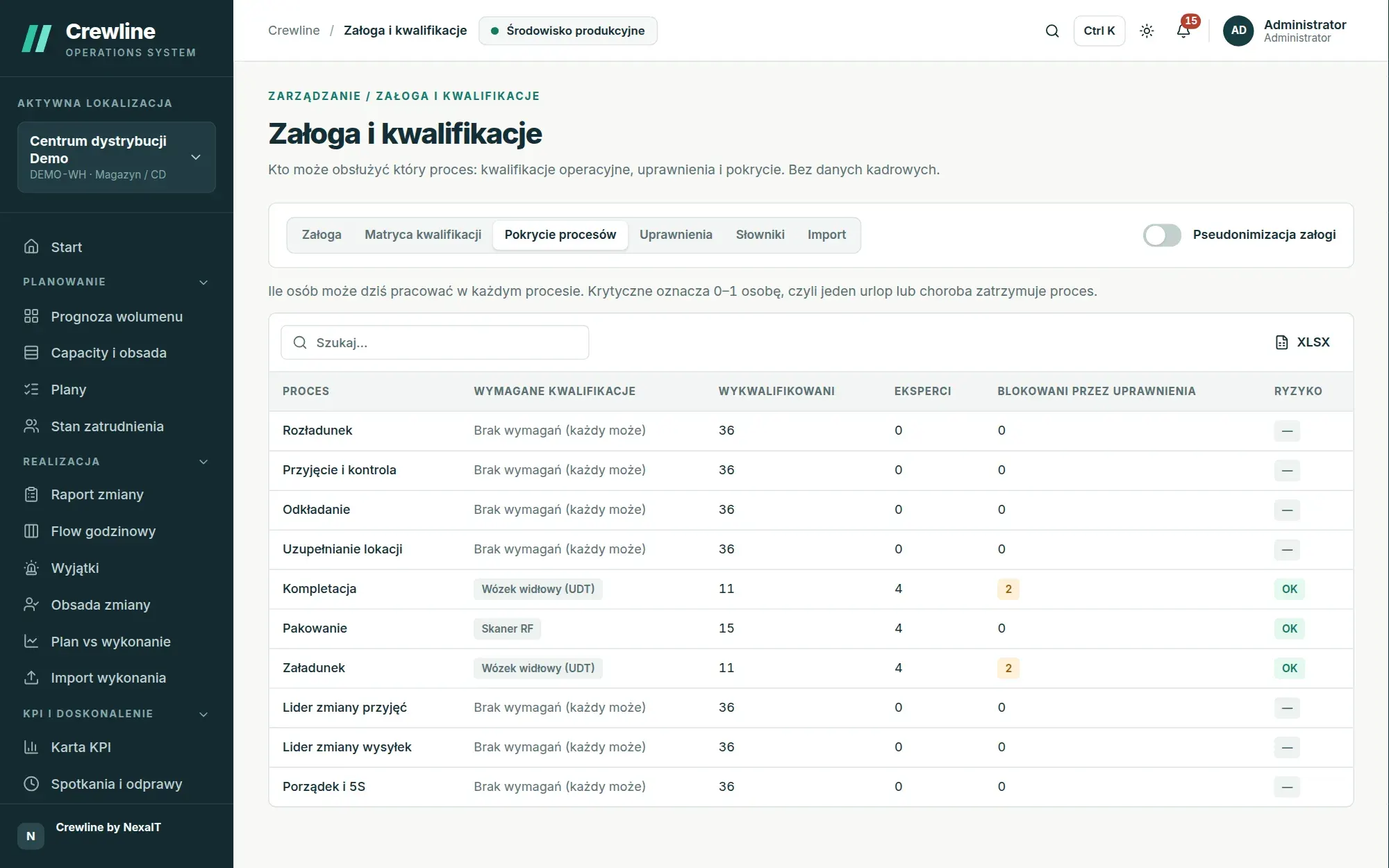
The skills matrix shows who can run which process across five levels: from no qualification, through training and supervised work, to independent work and expert level, where a person can train others. For skills that require certificates, for example for a forklift truck, you record the expiry date, and an expired certificate no longer counts.
The process coverage screen shows how many people hold the required qualifications and where the risk is critical, meaning places where at most one person holds the qualification and a single holiday or sick leave could stop the process. A list of certificates expiring within 60 days lets you plan training in advance.
- pseudonymisation: people without permission see only employee codes
- qualifications are operational data, not HR data
Shop floor: offline tablets and TV boards.
Crewline installs on a tablet like an app. When the network drops out in the loading area, the app still opens, and entries for KPI values, Flow slots and the shift report are queued on the device and sent automatically once the connection returns. An indicator in the header shows how many entries are waiting, and if someone else has saved the same shift report in the meantime, the entry stays on the list as a conflict to retry or discard.
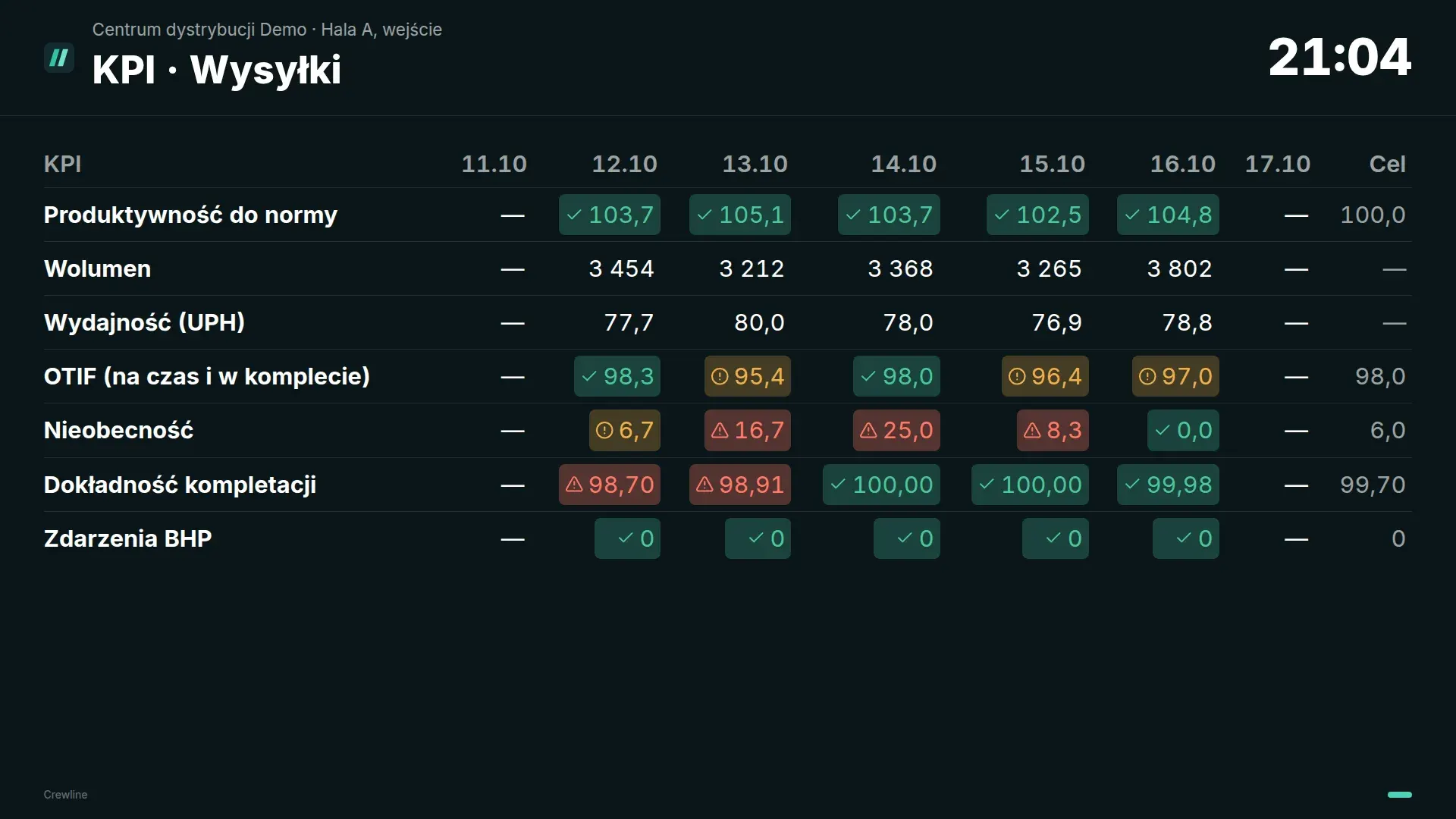
TVs on the shop floor display boards without sign-in: day readiness, department KPIs, the Flow for the current shift and actions. Every value has an icon next to its colour, so the status is visible even from a distance, and the board link can have an expiry date and can be revoked with a single click.
Questions about Crewline: warehouses and manufacturing.
Is Crewline suitable for an e-commerce distribution centre?
Yes, the logistics profile covers warehouses, distribution centres and e-commerce fulfilment, with inflow distribution across shifts, the carrier cut-off time and backlog carried over between shifts.
Does Crewline support line-based production?
Yes, a process can be a line with a crew, a number of lines, OEE and changeover time, and the plan calculates how many lines must run on each shift and where the bottleneck is. The templates cover assembly production, paint shops and food production.
Can we have several warehouses or plants in one system?
Yes, a single installation supports multiple sites, each with its own time zone, currency, calendar, shifts and template, and the executive view compares them side by side. You grant permissions for the whole organisation, a site or a department.
What about agency workers?
Agency staff are a separate labour type with their own productivity against standard, hourly cost and attendance rate, for example 90%. The plan adds the number of workers ordered from the agency multiplied by the attendance rate, and the what-if simulation shows what a larger agency share would deliver.
Are employee qualifications HR data?
No, they are operational data that show who can run a given process. Crewline does not store contracts or personnel files, and all it needs to track qualifications is an employee code and a display name, for example a first name and initial.
Online demo · no obligation
See Crewline live, using your own processes as the example.
- Online demoWe walk through the full cycle on demo data from a distribution centre and an assembly plant, then ask about your processes, your shifts and the spreadsheets you plan in today.
- QuoteWe quote the licence, deployment and optional support for your company in a single offer, prepared after a conversation about scope.
- Installation and configurationA server on your network or one you rent in the cloud, an industry template, processes, process flows, standards and data migrated from your spreadsheets.
- Go-live with your teamThe first plan, the first huddle and training for planners, shift leaders and managers on the screens they will be using.