

NCrewline 2.3 · operations system by NexaIT
Staff planning, that counts people the way a planner does.
Crewline converts the volume forecast into hours and people for every process, department, day and shift, deducts holiday leave, sick leave and other absence, adds agency staff and shows the gap before the plan is approved, not when the shop floor is already short of people.
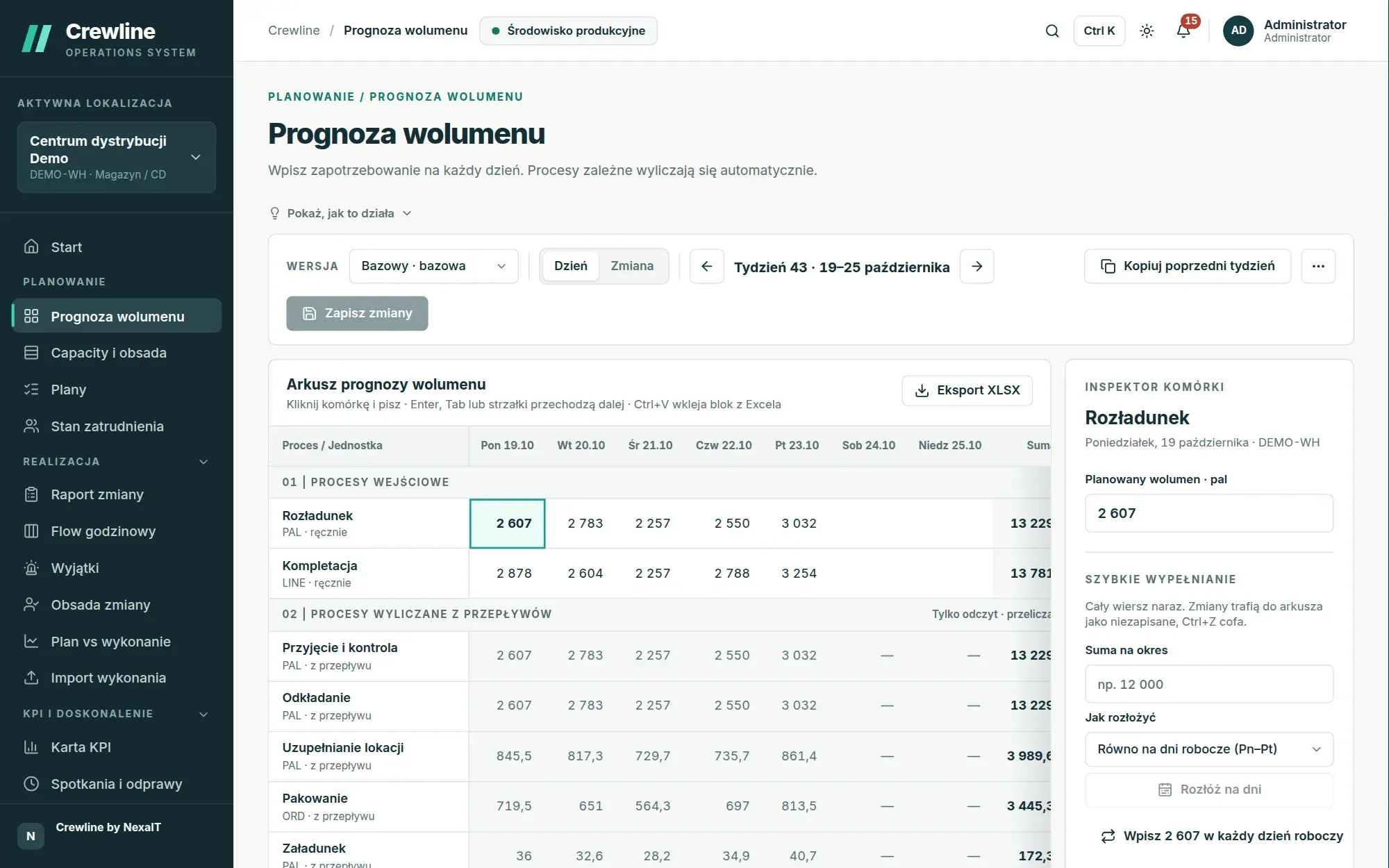
Volume forecast in a sheet that works like Excel.
Planning starts with one question: how much work is coming in. In the forecast sheet you enter the volume of inbound processes, such as unloading or picking, for each day of the week, and Crewline itself calculates the volume of the processes further down the flow, namely receiving, put-away, packing and loading, taking into account unit conversion factors, splits at branches and delays between processes.
The sheet works the way someone who has planned in Excel for years is used to: you click a cell and type, Enter, Tab and the arrow keys save the entry and move the cursor on, and a block copied from a spreadsheet pastes in with Ctrl+V. Before you save, the cell inspector shows how many more or fewer people will be needed that day if you change the value entered.
- forecast versions: baseline, peak, stress and custom
- quick fill: weekly total spread across working days, or same as the previous week
- fill from history: average of the same weekdays with a percentage adjustment
- daily split across shifts and carrier cut-off time for each process
- forecast import from XLSX or CSV with full validation before saving
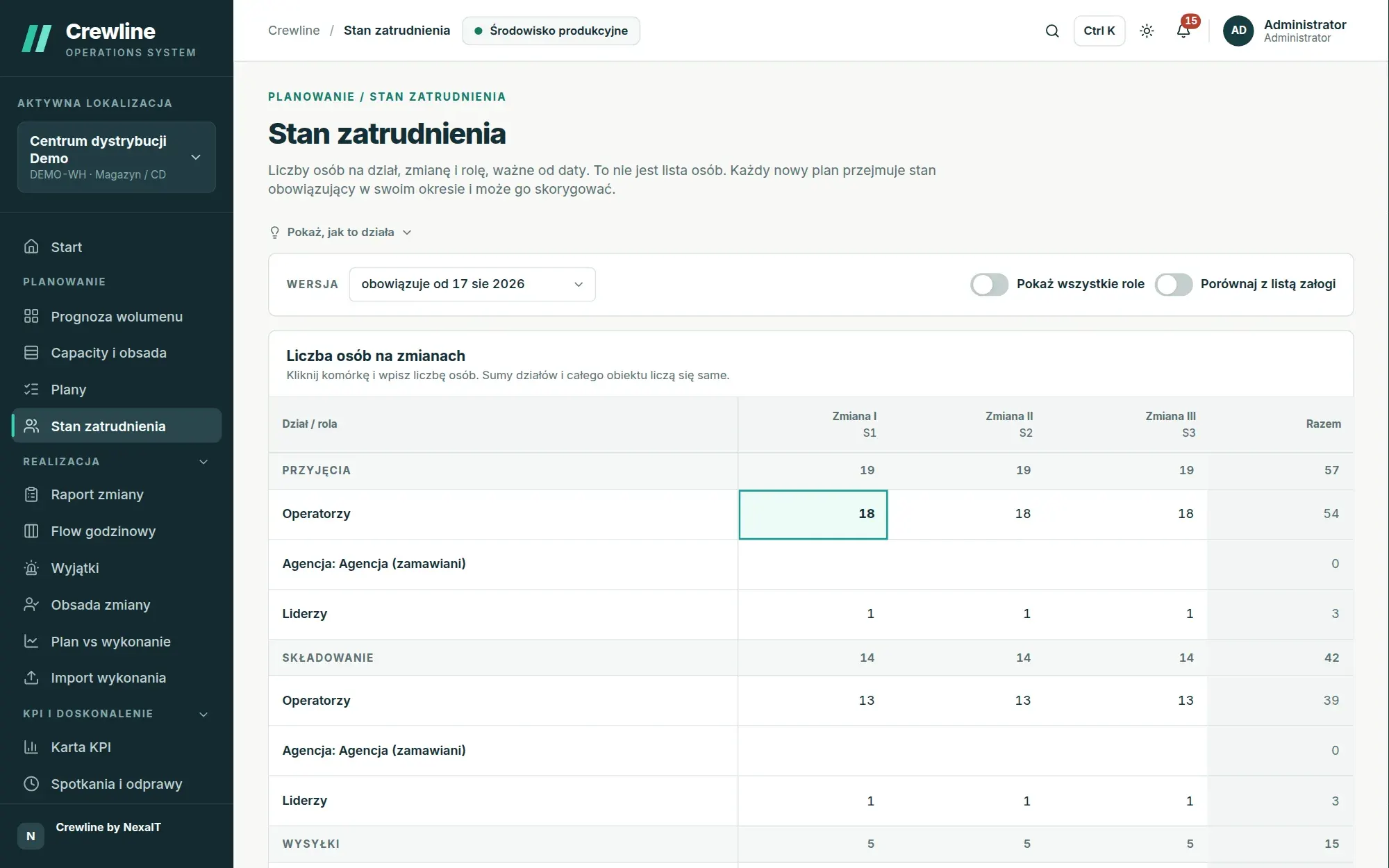
Staffing baseline: numbers only, no names.
The second pillar of the plan is the people you actually have. On the staffing baseline screen, you enter how many operators, leaders, specialists and office staff each department has on each shift, as well as how many people you order from the agency. There are no names, contracts or HR data here, only numbers the planner already knows.
The screen asks for the effective date only when you save: you can correct the current baseline, for example after a typo, or save a new baseline from a chosen day when twenty new people join from November. Before saving, you can see how many entries will change, and every new plan starts from the baseline in force for its period.
- baseline versions effective from a date, with a view of earlier and future versions
- comparison with the crew list, with a difference column
- the department manager records only their own department’s figures
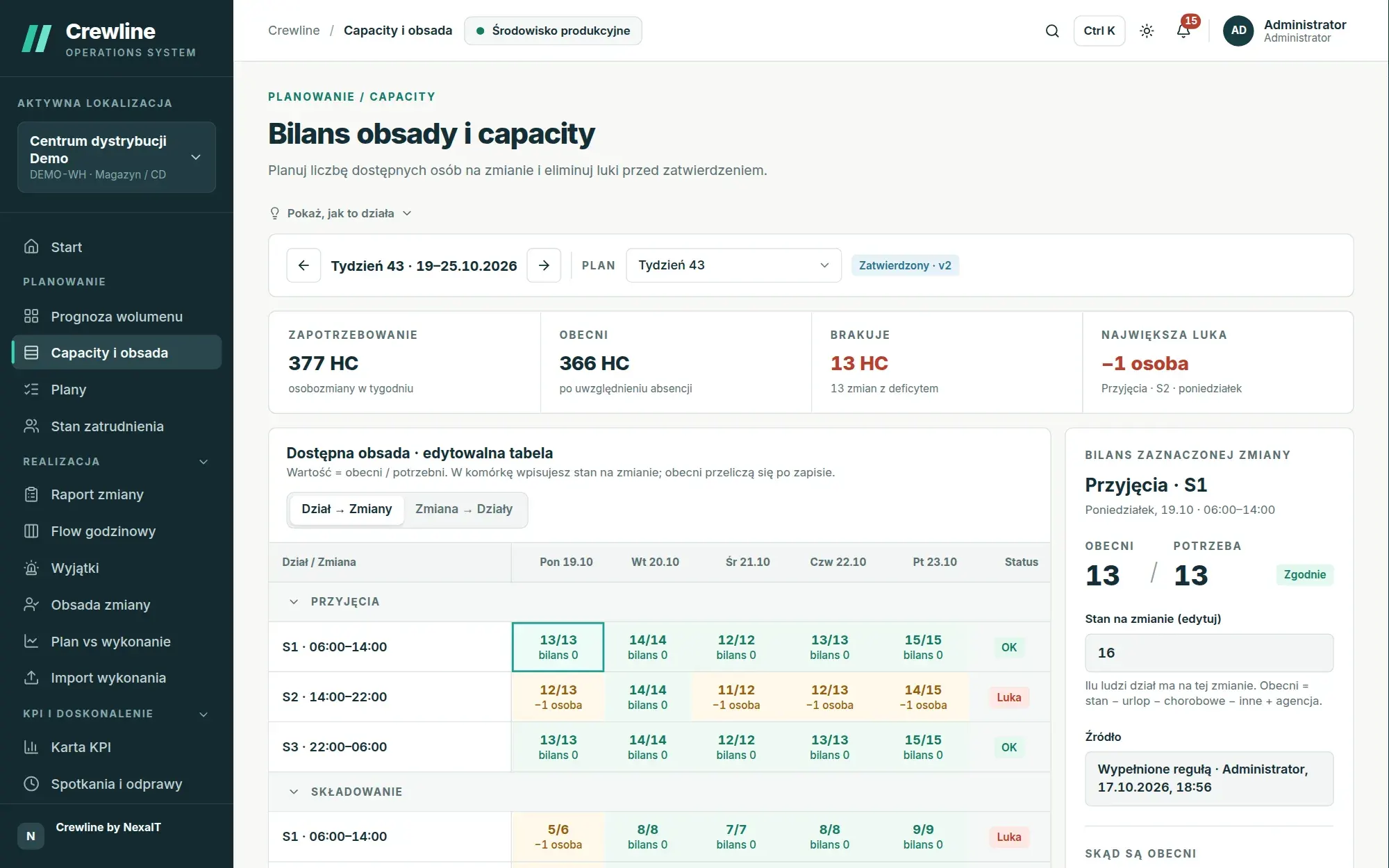
A balance from baseline to gap, calculated for every shift.
The plan follows the same path as an experienced planner. From the staffing baseline it deducts holiday leave, rounded to whole people and spread across shifts, then sick leave and other absence according to percentages set for the site, the department or a specific month, adds agency staff multiplied by the attendance rate, and only then compares the staff present with the requirement derived from volume, productivity standards and indirect time.
Every row of the balance can be clicked to see where a figure came from, for example how much holiday leave there was before rounding and how much after. The gap is calculated separately for each shift, so a surplus on the morning shift does not hide a shortfall on the night shift. Risk is judged by the gap rather than by utilisation, which, because of rounding to whole people, is 90 to 99% even in a healthy plan and is therefore a weak signal of risk.
- planning rules as questions with ready-made answers, e.g. whether shift leaders cover indirect time
- higher holiday leave in August than in November: percentages by department and month
- cell colours: green when there are enough people, orange for a small shortfall, red for a large one
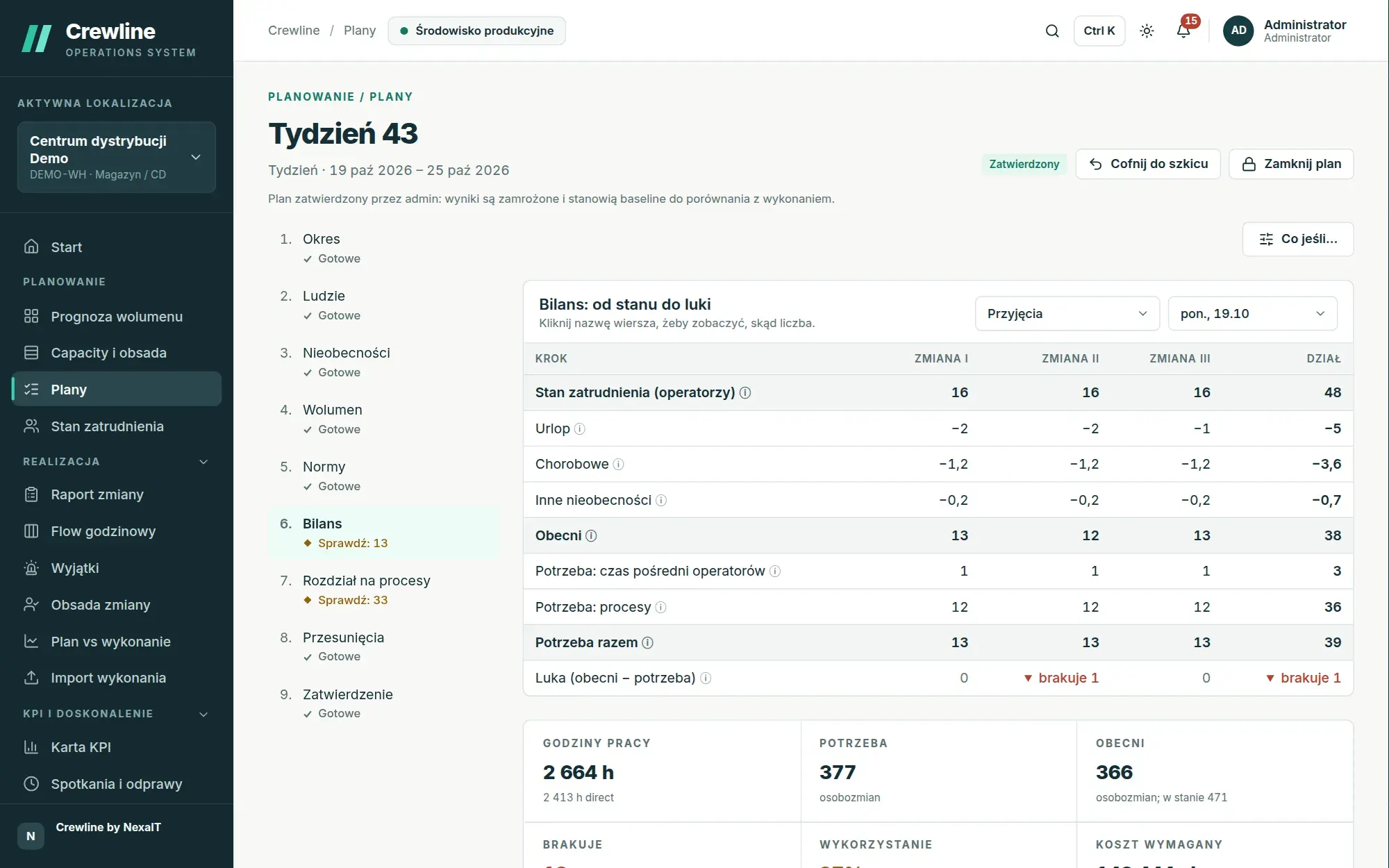
The plan as a list of steps, visible to the whole team.
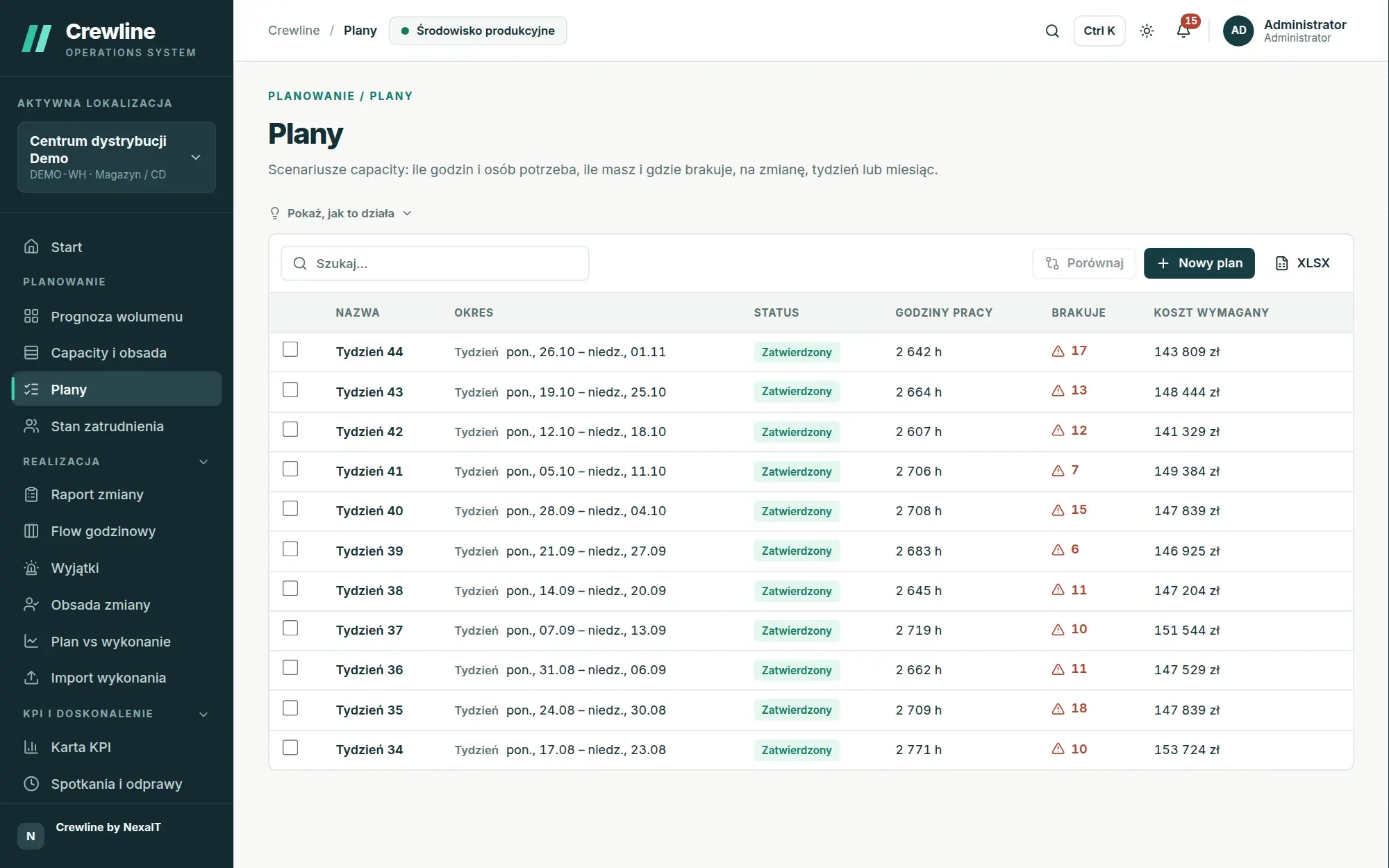
The plan guides you through nine steps: period, people, absence, volume, standards, balance, allocation to processes, transfers and approval. Each step shows its status described in words, for example “Done”, “Check: 3” or “Blocking: 2” when two processes have no productivity standard, and the plan always opens on the first step that needs attention.
The plan horizon is a day, a week, a month or a quarter, and two to four plans can be compared side by side. An approved plan becomes the reference point for actuals and analytics, and its results are frozen, so a month later you know exactly what reality was compared against.
- status cycle: draft, awaiting approval, approved and closed
- approving a plan with shortfalls requires a comment on how they will be covered
- work to be done calculated the warehouse way: backlog from the previous day plus incoming work
Allocation to processes in whole people.
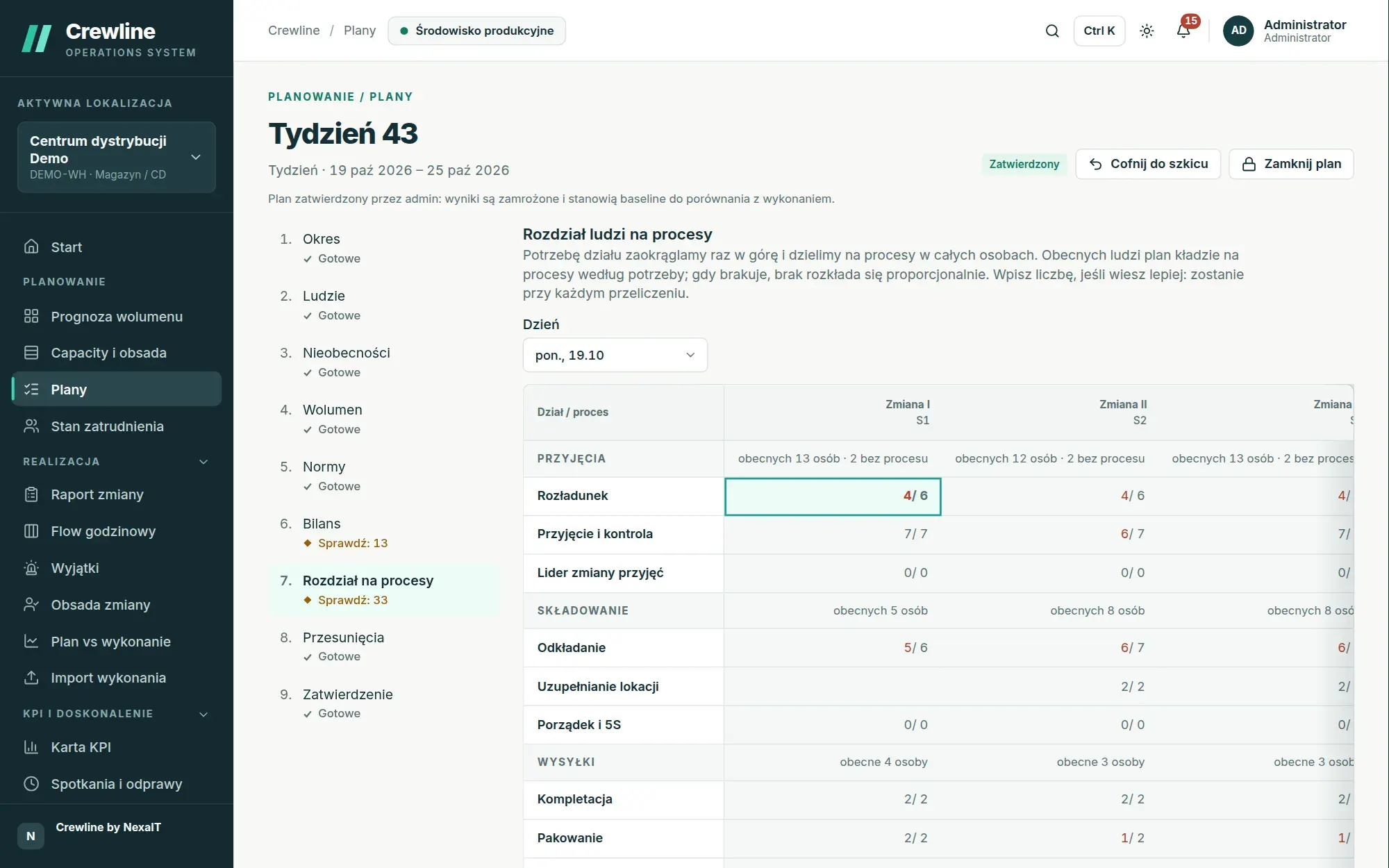
Nobody plans 0.9 of a person. Crewline rounds the department’s requirement for a shift up once and divides it among processes using the largest remainder method, so picking at 19.7, packing at 7.4 and loading at 3.6 give 31 people in total, split 20, 7 and 4, and production lines always get full crews.
When you know of constraints the system cannot see, for example that only two people hold forklift certificates, you enter the number manually. A manually entered value is kept on every recalculation and the rest of the allocation adjusts around it, so the shift leader’s knowledge is not lost the next time the forecast changes.
Transfers, overtime and what-if: the gap closed before the shift starts.
When one department is short of people and another has a surplus on the same shift, the plan suggests a transfer itself. The request, without any names, goes to the manager of the department releasing staff, who accepts or rejects it. The balance of both departments changes only once it is accepted, and the manager on site decides whom to send.
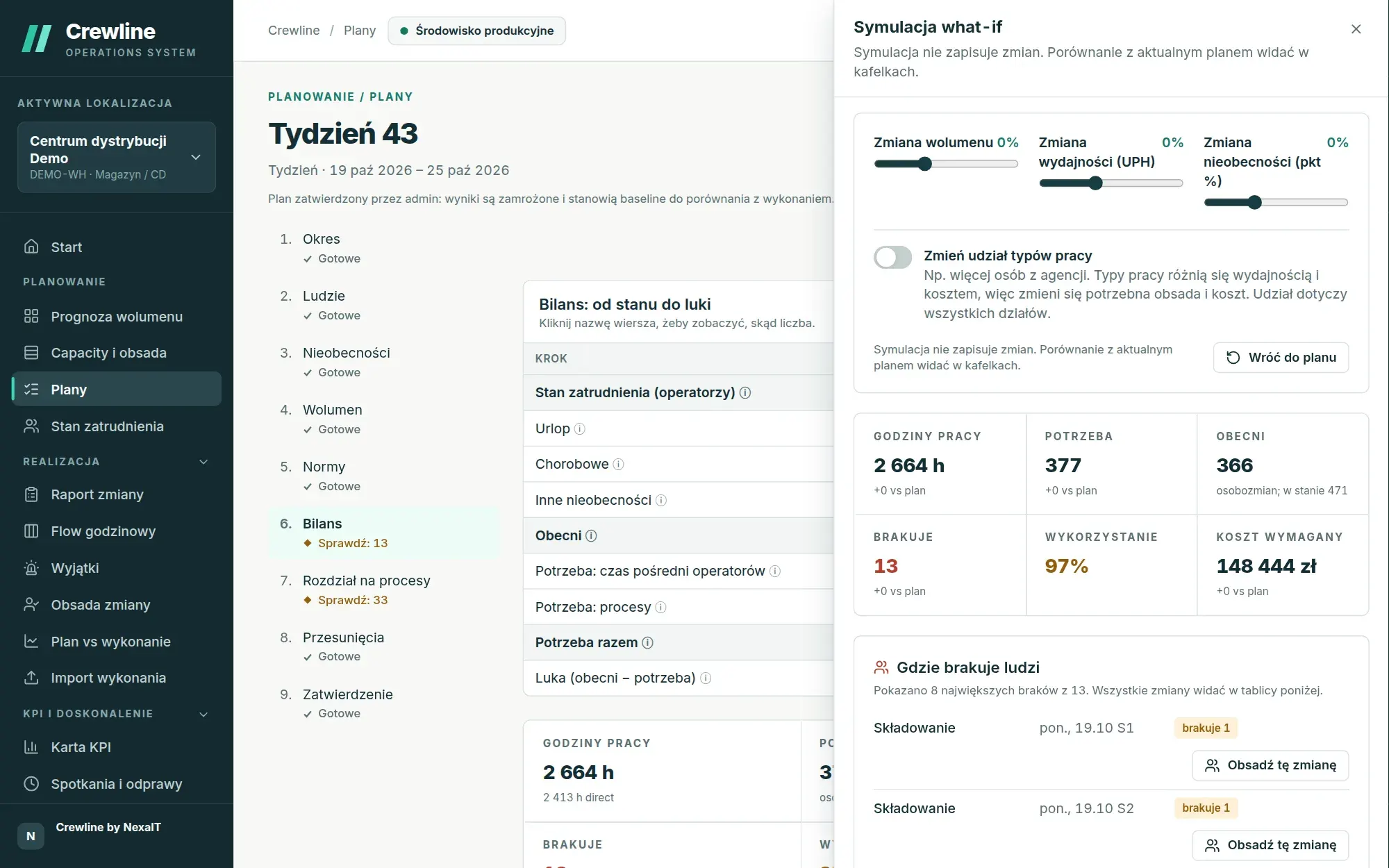
You assign overtime to a specific shift with a note, and the plan converts the hours into whole people and adds the cost at the configured rate. The what-if panel shows instantly, without saving, what happens to the plan with volume 20% higher, productivity 10% lower or higher absence, and, if the site has several work types, with a different share of agency staff.
- sliders for volume (from minus 50 to plus 100%), productivity and absence
- a warning when overtime exceeds the configured threshold
- a “Where people are short” list with a button to staff the shift
Several managers, one plan and no overwrites.
Each department manager works on their own section of the plan and submits it when it is ready, and the approver accepts the section or returns it for correction with a stated reason. The plan cannot be approved while any section is still in progress, unless the approver deliberately accepts the sections together with the plan.
When two people change the same cell at the same time, the system pauses saving and asks whose values to keep. Nothing is silently overwritten, and every change goes into the history with its author, time, and the value before and after.
Questions about Crewline: staff planning.
Does Crewline build work rosters for named individuals?
No, Crewline plans the number of people and hours per process, department and shift and shows the gap. It deliberately does not handle named rosters, holiday requests or HR data, and on the shift itself it allocates to processes only the people who are present.
Where does Crewline get its productivity standards from?
Each process can have three standards: a budget standard from the financial plan, an engineered standard from work measurement and an achieved standard from actuals. By default the plan uses the achieved standard and, where there is none, the engineered or budget standard. Every night the system compares the pace over the last 28 days with the standard and proposes a new version when the difference is at least 10% across at least five measurements.
How does Crewline account for holiday and sick leave?
As percentages set for a site, department or month, for example higher holiday leave in August. Holiday leave is rounded to whole people according to the chosen rule and distributed across shifts, and the number of staff present is rounded down so that the plan never counts on fractions of people.
Can we plan a month or a quarter, not just a week?
Yes, a plan can cover a day, a week, a month or a quarter, and the tables then show a week, a month or the whole period. Two to four plans can be compared side by side, including hours by department.
How do we move our existing plan over from Excel?
In the “People” step you download an Excel sheet laid out as a table and, once you have filled it in, load it back after a full check. You import the forecast, standards and process flows with the wizard, which offers column mapping and an error report, and you paste the staffing baseline into the sheet straight from Excel.
Online demo · no obligation
See Crewline live, using your own processes as the example.
- Online demoWe walk through the full cycle on demo data from a distribution centre and an assembly plant, then ask about your processes, your shifts and the spreadsheets you plan in today.
- QuoteWe quote the licence, deployment and optional support for your company in a single offer, prepared after a conversation about scope.
- Installation and configurationA server on your network or one you rent in the cloud, an industry template, processes, process flows, standards and data migrated from your spreadsheets.
- Go-live with your teamThe first plan, the first huddle and training for planners, shift leaders and managers on the screens they will be using.